Top 8 Website Scanning Tools for Developers
4/20/2026 • 18 min read

Top 8 Website Scanning Tools for Developers
Website scanning tools are essential for developers to identify issues like security vulnerabilities, SEO problems, performance bottlenecks, and compliance gaps. This article highlights eight tools to help you tackle these challenges effectively:
- CLUNKY.ai with dCLUNK™: Focuses on UX, performance, accessibility (WCAG), and compliance (GDPR/ADA). Offers free scans with actionable insights for e-commerce and SaaS platforms.
- Acunetix: Specializes in detecting 7,000+ vulnerabilities, including OWASP Top 10 risks. Integrates well with CI/CD pipelines.
- OWASP ZAP: Open-source DAST tool that identifies runtime vulnerabilities. Free with flexible add-ons.
- Nikto: Command-line tool for web server scanning. Detects misconfigurations and outdated software. Free and lightweight.
- Nessus: Targets infrastructure vulnerabilities with a vast CVE database. Pricing starts at $4,790/year for Nessus Professional.
- Burp Suite: Popular for manual and automated DAST testing. Offers a free Community Edition and paid plans starting at $449/year.
- Invicti: Enterprise-grade tool with Proof-Based Scanning™ for accurate results. Pricing is custom and starts around $30,000 annually.
- OpenVAS: Open-source vulnerability assessment for systems and APIs. Free Community Edition, with a paid option at ~$2,750/year.
Quick Comparison
| Tool | Core Focus | Strengths | Pricing | Best For |
|---|---|---|---|---|
| CLUNKY.ai | UX, performance, compliance, WCAG | Free scans, actionable fixes | Free | E-commerce, SaaS, high-traffic sites |
| Acunetix | DAST for web apps and APIs | Proof-based scanning, CI/CD integration | Contact for pricing | Small to mid-sized orgs needing security testing |
| OWASP ZAP | Open-source DAST | Free, flexible, community-supported | Free | Developers with limited budgets |
| Nikto | Web server scanning | Lightweight, command-line, quick scans | Free | Basic server checks |
| Nessus | Infrastructure vulnerability scanning | Large database, authenticated scanning | Starts at $4,790/year | Infrastructure security |
| Burp Suite | DAST with manual testing | Advanced tools, extensibility | Starts at $449/year | Penetration testers, security experts |
| Invicti | Enterprise DAST and API scanning | Proof-based results, CI/CD integration | Starts ~$30,000/year | Enterprises managing large app portfolios |
| OpenVAS | Open-source vulnerability assessment | Customizable, severity classification | Free or ~$2,750/year | Teams with dedicated security expertise |
Each tool has its strengths, from free options like OWASP ZAP and Nikto to enterprise solutions like Invicti. Select based on your project’s size, focus, and budget.
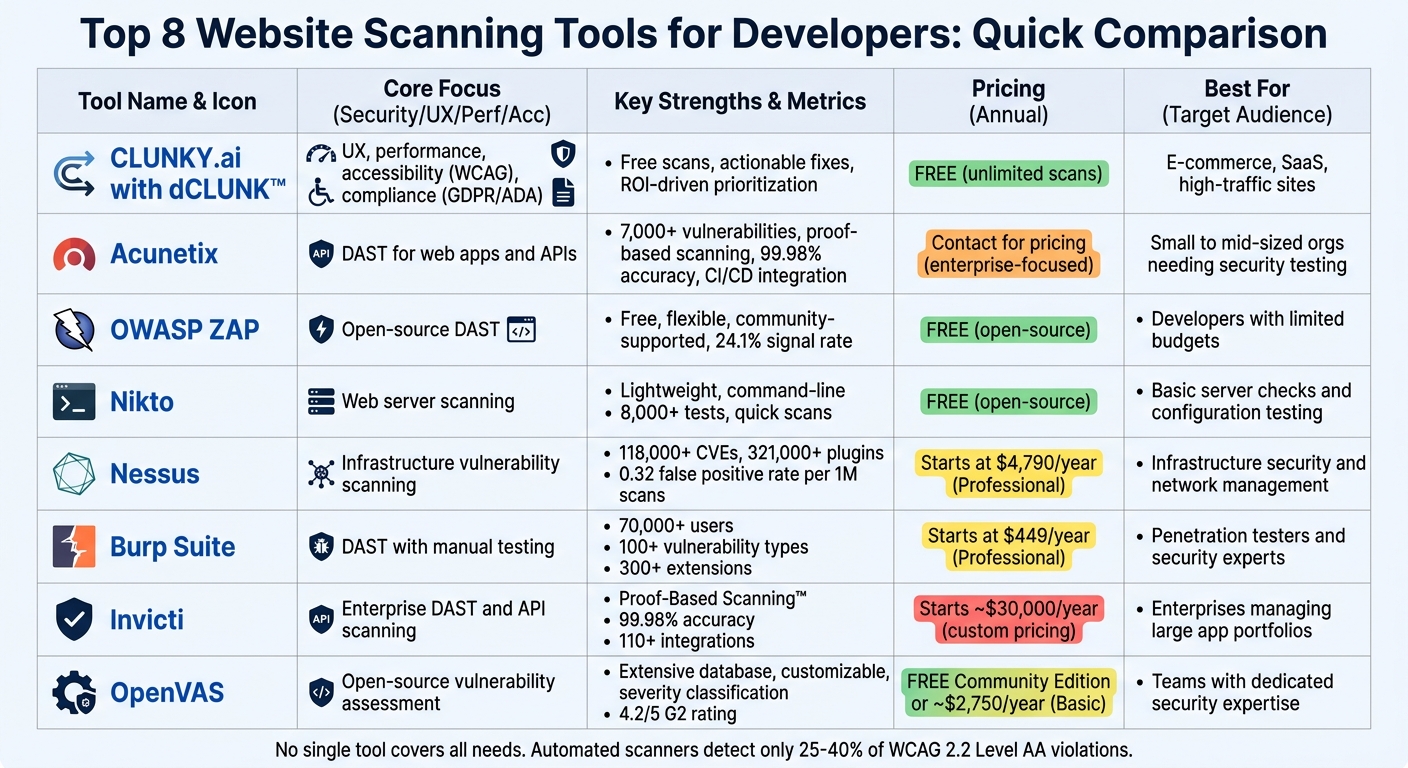
Website Scanning Tools Comparison: Features, Pricing & Best Use Cases for Developers
1. CLUNKY.ai with dCLUNK™
Core Scanning Focus
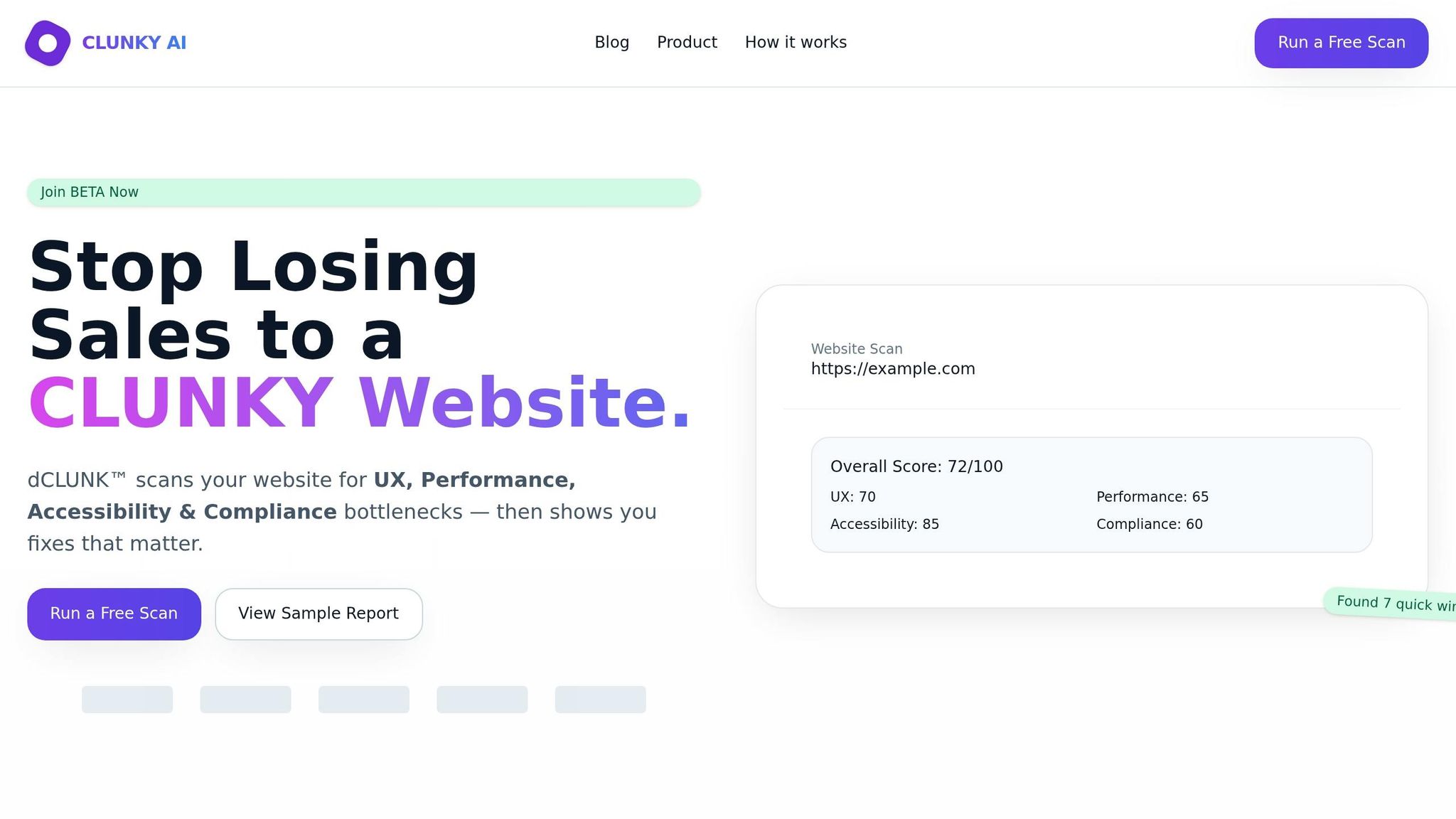
CLUNKY.ai's dCLUNK™ engine evaluates websites based on four main areas: User Experience (UX), Performance, Accessibility (WCAG), and Compliance. On the performance side, it tracks essential metrics like Core Web Vitals - including Largest Contentful Paint (LCP), Cumulative Layout Shift (CLS), and Interaction to Next Paint (INP) - along with Total Blocking Time (TBT), Time to First Byte (TTFB), and resource payload sizes. For compliance, the scanner flags issues such as weak cookie banners, flawed consent flows, form vulnerabilities, and baseline GDPR/ADA signals. Impressively, scans are completed in under two minutes, providing actionable reports. These metrics form the foundation for dCLUNK™'s focus on ROI-driven prioritization.
Key Strengths
The dCLUNK™ engine zeroes in on ROI by identifying "quick wins" - fixes that offer big results with minimal effort. Using non-intrusive, read-only checks similar to a search engine crawl, it ensures your live site remains unaffected during the process.
For example:
- ShopHive, an e-commerce platform, saw a 24% boost in trial conversions after resolving signup flow friction, as noted by Avery G., their Growth Lead.
- CraftMart reported a 32% increase in completed checkouts after addressing slow-loading pages flagged in their audit.
- SaaSify experienced an 18% jump in demo requests overnight by fixing accessibility gaps.
This targeted approach doesn’t just streamline fixes - it directly supports measurable business growth.
Pricing Model
Run unlimited scans for free, complete with full reports and prioritized fixes - no credit card required.
Best Use Case
dCLUNK™ is a perfect fit for e-commerce, SaaS platforms, and high-traffic websites. Whether you’re looking to remove friction in signup flows, speed up sluggish checkout pages, or ensure compliance with WCAG and GDPR standards before a product launch, dCLUNK™ delivers the insights and speed needed to implement changes quickly and effectively.
sbb-itb-641714f
2. Acunetix
Core Scanning Focus
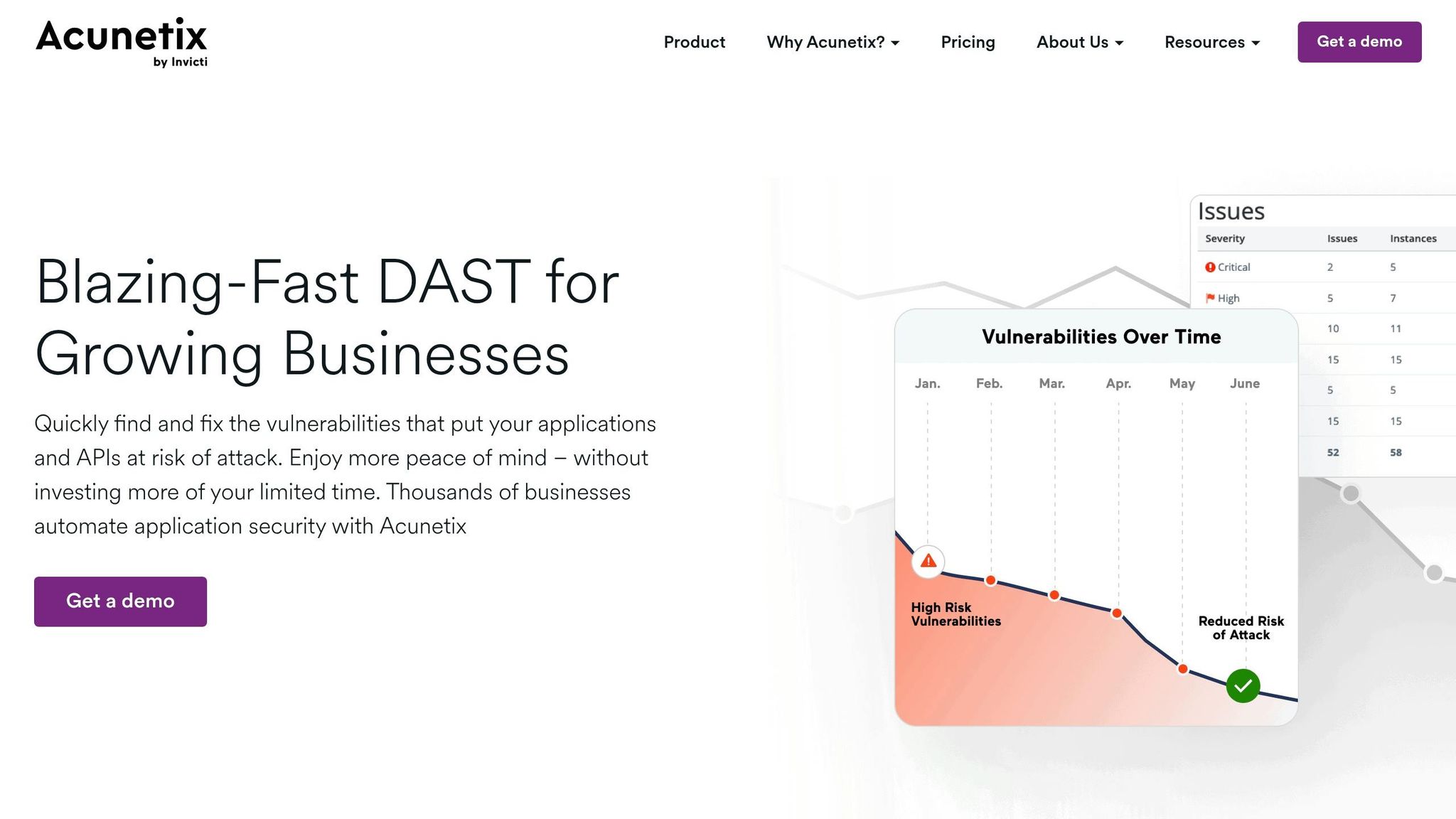
Acunetix specializes in DAST and IAST scanning for web applications and APIs. It identifies 7,000 vulnerabilities, including OWASP Top 10 risks, SQL injection, XSS, and common misconfigurations. By using AcuSensor to analyze code during execution and SmartScan to detect 80% of vulnerabilities within the first 20% of a scan, it prioritizes both speed and thoroughness. Built with a C++ scanning engine, it’s one of the fastest tools available in this space.
Key Strengths
With a 99.98% accuracy rate, Acunetix reduces false positives through proof-based scanning that auto-verifies vulnerabilities. It highlights the exact code requiring fixes, which speeds up remediation. The tool integrates smoothly with CI/CD pipelines like Jenkins and supports issue trackers such as Jira, GitLab, and GitHub, making it a natural fit for modern development workflows.
Kurt Zanzi from Xerox's Information Security Office shares their experience:
"We use Acunetix as part of our Security in the SDLC and to test code in DEV and SIT before being promoted to Production."
Another standout feature is Predictive Risk Scoring, which uses AI to assess asset risk based on 220 parameters. With at least 83% confidence, this feature helps teams prioritize which vulnerabilities to address first. These capabilities, combined with flexible pricing options, make Acunetix a strong choice for organizations of all sizes.
Pricing Model
Acunetix offers three pricing tiers:
- Standard: Basic automated scanning.
- Premium: Includes advanced SDLC integration and issue tracker compatibility.
- Acunetix 360: Designed for enterprises, featuring automation and role-based access controls.
Pricing is quote-based and often tied to multi-year subscription agreements. For exact pricing, you’ll need to contact their sales team.
Best Use Case
Acunetix is perfect for development teams focused on securing websites and applications while maintaining seamless workflow integration. For those managing platforms like WordPress, scheduling weekly full scans alongside daily incremental scans for high-severity vulnerabilities can help catch issues caused by frequent updates. Developers working on PHP, Java, or .NET applications will benefit from AcuSensor’s ability to pinpoint exact code locations needing fixes, removing much of the trial-and-error from the remediation process.
3. OWASP ZAP
Core Scanning Focus
OWASP ZAP is a Dynamic Application Security Testing (DAST) tool designed to uncover vulnerabilities in live web applications. It works by proxying traffic between your browser and the application, offering two types of scanning: passive scanning, which monitors requests and responses without altering them, and active scanning, which simulates attacks like SQL injection and Cross-Site Scripting (XSS). To ensure thorough coverage, ZAP uses both traditional and AJAX spiders to explore applications, making it a reliable tool for identifying potential security risks.
Key Strengths
OWASP ZAP is the most widely used web application scanner globally and is recognized as a GitHub Top 1000 project. Its appeal lies in being free and open-source under the Apache License. The tool streamlines security testing with its Quick Start feature, enabling "single-click" automated scans. Additionally, the Heads Up Display (HUD) integrates security alerts and ZAP controls directly into your browser, so you can monitor and interact with the tool without leaving your workflow.
In a 2026 independent benchmark, ZAP achieved a 24.1% signal rate and a 16.4% recall rate, demonstrating its ability to detect runtime vulnerabilities that static scanners might overlook. Its functionality can be expanded through the ZAP Marketplace, which offers free add-ons like WebSocket support, fuzzing, and forced browsing. For CI/CD pipelines, ZAP supports automation through a REST API, daemon mode, and Docker packaging. As of September 24, 2024, the core development team joined Checkmarx, and the tool is now branded as "ZAP by Checkmarx".
Pricing Model
ZAP is entirely free, with no licensing fees or hidden costs. Even the add-ons available in the ZAP Marketplace are offered at no charge. This makes it an accessible option for individuals, startups, and enterprises looking to enhance their security posture without incurring additional expenses.
Best Use Case
ZAP is ideal for developers integrating security testing into their workflows, especially those with limited budgets. Its AJAX spider is particularly useful for modern web applications that rely heavily on JavaScript, as it can identify dynamically generated links. For sensitive environments, "Safe Mode" can be enabled to prevent unintended changes to data. To maximize scan efficiency, configure ZAP with login credentials - unauthenticated scans often miss parts of the application's attack surface. With its combination of robust scanning capabilities and zero cost, ZAP is a valuable tool for developers looking to improve both security and performance in their web applications.
4. Nikto
Core Scanning Focus
Nikto zeroes in on the server layer, offering a command-line tool designed specifically for web server scanning. It conducts over 8,000 tests to detect issues like dangerous files, outdated software, and server misconfigurations. These include multiple index files, insecure HTTP methods (such as PUT, DELETE, and TRACE), and exposed default or backup files (e.g., .bak, .old). It’s also capable of identifying admin panels left unprotected.
Key Strengths
One of Nikto’s standout features is its flexibility. With 13 tuning categories, you can customize scans to focus on areas like misconfigurations, interesting files, or information leaks. It also includes 10 intrusion detection system (IDS) evasion techniques to get around basic signature-based filters, making it a powerful tool for assessing server security. The tool supports a variety of output formats - such as HTML, XML, JSON, CSV, SQL, and plain text - making it easy to integrate into automated workflows.
On GitHub, Nikto has gained significant attention, boasting over 10,200 stars and 1,400 forks as of April 2026. This reflects its popularity and reliability within the security community.
Pricing Model
Nikto is entirely free and open source, released under the GNU General Public License (GPL) version 3. However, its database files come with separate licensing terms, which may limit their use in commercial software. This tool is pre-installed on several security-focused operating systems, including Kali Linux, Parrot OS, and BlackArch, making it easily accessible for most users.
Best Use Case
Nikto shines as a quick reconnaissance tool for server hardening. It’s ideal for spotting configuration errors, such as accidentally re-enabling directory indexing or exposing server status pages. For the best results, combine Nikto with Nmap to identify web services running on non-standard ports, then feed those results into Nikto for deeper analysis. Running Nikto through Docker (using the official image at ghcr.io/sullo/nikto) ensures a stable environment, while the -Tuning flag (e.g., -Tuning 123 for targeting specific areas) helps reduce noise and scan duration.
For ongoing security, incorporating Nikto into your CI/CD pipeline with weekly scans can help catch configuration drift in both staging and production environments. Its focus on servers complements broader scanning strategies, making it a valuable addition to any security toolkit.
5. Nessus
Core Scanning Focus
Nessus specializes in vulnerability detection, identifying flaws, missing patches, and misconfigurations across IT environments. The Professional version targets traditional IT infrastructure, while the Expert tier expands capabilities with web application scanning for up to 5 fully qualified domain names (FQDNs) and external attack surface discovery for 5 domains. It boasts coverage of over 118,000 CVEs, powered by a library of more than 321,000 plugins. With over 100 new plugins added weekly, Nessus stays updated to tackle the latest threats, providing a strong foundation for precise vulnerability detection and management.
Key Strengths
Nessus is built for accuracy, achieving six-sigma precision with a false positive rate of just 0.32 per 1 million scans. Its Grouped View feature organizes similar vulnerabilities, making it easier to prioritize and address issues. Security professionals often rely on Nessus during the early stages of penetration testing to uncover critical vulnerabilities. The platform also includes over 450 pre-built templates for quick scanning and a Live Results feature that updates vulnerability data with each new plugin release, ensuring assessments remain current.
Pricing Model
Nessus Professional is priced at $4,790 for a one-year license, $9,331 for two years, and $13,638 for three years. The Nessus Expert tier, which incorporates web application scanning and external attack surface discovery, costs $6,790 annually, $13,208 for two years, or $19,304 for three years. Opting for the three-year plan reduces the average annual cost compared to renewing annually. For those requiring additional support, Advanced Support can be added, offering 24/7 phone and chat assistance.
Best Use Case
Nessus is an excellent starting point for vulnerability scanning, especially before diving into more advanced penetration testing or breach simulations. The Expert tier is particularly well-suited for developers juggling both IT infrastructure and web application security, offering unlimited IT vulnerability scans alongside focused web app assessments. Recognized as a "Customers' Choice" in the 2025 Gartner® Peer Insights™ Voice of the Customer for Vulnerability Assessment, Nessus is trusted by thousands of organizations. Its pre-built templates and Grouped View feature streamline compliance and help address vulnerabilities efficiently.
6. Burp Suite
Core Scanning Focus
Burp Suite is a tool that excels in Dynamic Application Security Testing (DAST), simulating the work of expert manual testers to uncover security issues in live web applications and APIs. Using its built-in Chromium browser, it can handle complex JavaScript applications, manage CSRF tokens, and maintain stateful sessions. The tool also includes Burp Collaborator, which is designed to uncover hidden vulnerabilities like asynchronous SQL injection and blind SSRF. With the ability to detect over 100 types of vulnerabilities - including SQL injection, cross-site scripting, and HTTP request smuggling - it’s a comprehensive solution. Regular updates ensure it stays ahead of emerging threats, such as HTTP desync attacks.
Key Strengths
Burp Suite is trusted by over 70,000 users from more than 16,000 organizations worldwide. It stands out for its ability to reduce false positives and speed up scans using location fingerprinting. Developers can also leverage the "Audit selected items" feature to focus on specific endpoints during manual testing. For added flexibility, it supports over 300 extensions from the BApp Store and offers AI-enhanced workflows through "Burp AI", which helps streamline repetitive tasks.
"Burp Scanner is capable of finding many critical vulnerabilities that even an expert manual tester could easily miss - like deferred asynchronous command injection."
- James Kettle, Director of Research, PortSwigger
Pricing Model
Burp Suite offers two primary tiers. Burp Suite Professional caters to individual penetration testers, while Burp Suite DAST (formerly Enterprise Edition) is designed for AppSec and DevOps teams. The DAST version integrates seamlessly into CI/CD pipelines, enabling scalable and automated scanning. A free trial is available for users to explore its features, and a Community Edition is offered for those learning about web security.
Best Use Case
Burp Suite Professional is widely regarded as the go-to tool for professional penetration testers and has been recognized as a Gartner® Peer Insights™ Customers' Choice in 2024. For organizations adopting DevSecOps, Burp Suite DAST is ideal for automated, large-scale vulnerability detection. It also provides strong API security features, including automatic parsing and auditing of OpenAPI, SOAP WSDL, and Postman Collections. As Taylor O'Dell, Security Engineer at Microsoft, notes:
"At Microsoft, Burp Suite is what you use. It's not up for consideration."
7. Invicti
Core Scanning Focus
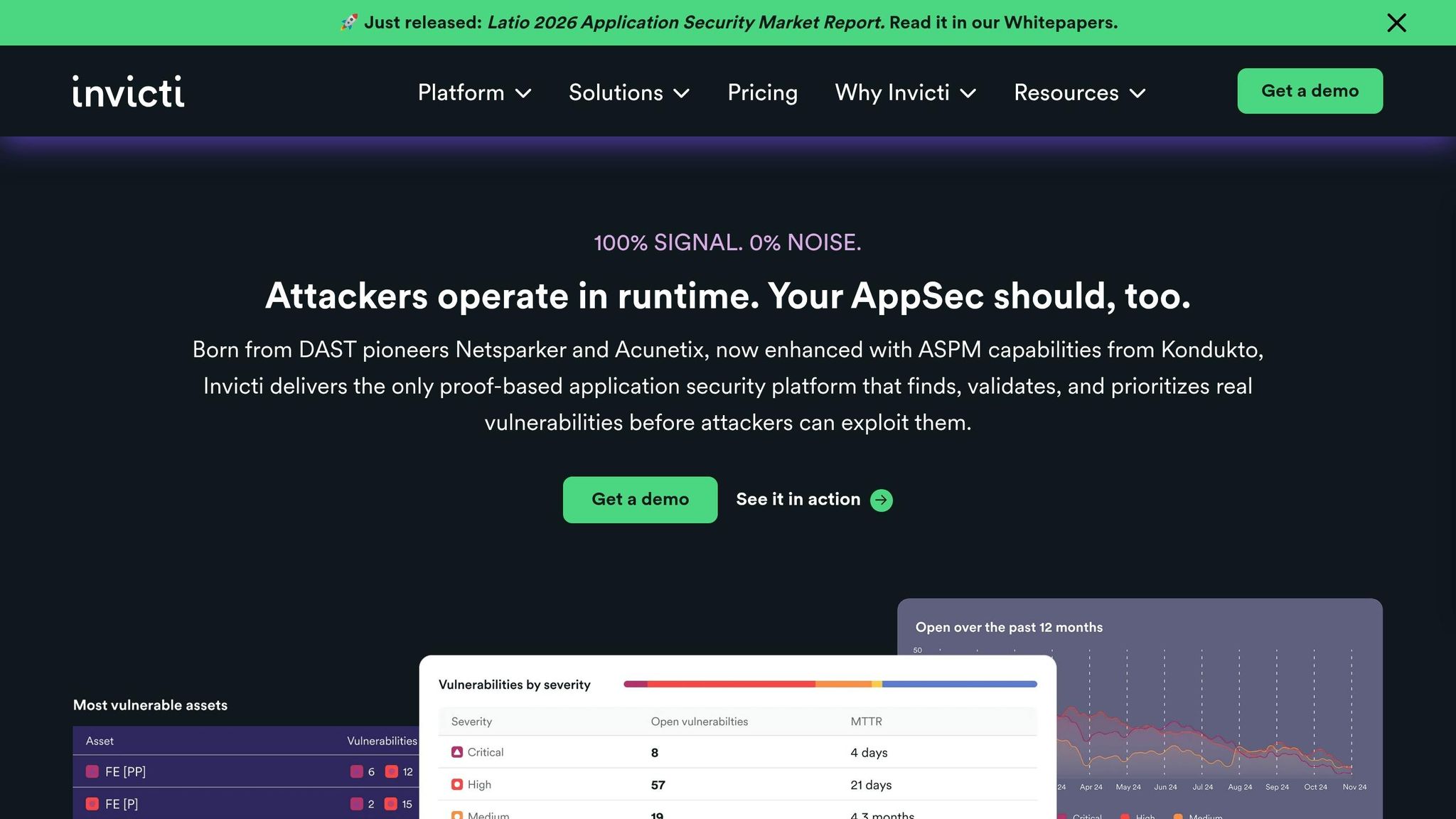
Invicti employs a DAST-first approach to identify vulnerabilities in web applications and APIs. It automatically scans for web apps, subdomains, and APIs, including REST, SOAP, and GraphQL, helping organizations uncover shadow IT and secure their entire attack surface. The platform’s standout feature is its Proof-Based Scanning™ technology, which safely verifies vulnerabilities by exploiting them in a controlled manner. This process ensures vulnerabilities are real, not hypothetical, delivering a 99.98% accuracy rate and nearly eliminating false positives.
Key Strengths
With over 3,600 organizations relying on it worldwide, Invicti integrates seamlessly with more than 110 third-party tools. This includes CI/CD systems like Jenkins and GitHub Actions, as well as issue trackers such as Jira. Its SmartScan feature efficiently identifies most vulnerabilities, saving time and resources. Additionally, Invicti uses Predictive Risk Scoring powered by machine learning to prioritize vulnerabilities based on their likelihood of exploitation. The platform also simplifies compliance reporting for standards like PCI DSS, ISO 27001, HIPAA, and GDPR.
Brian Brackenborough, CISO at Channel 4, highlighted how Invicti transformed their security strategy:
"For more websites, we now don't need to go externally for security testing. We can fire up Invicti, run the tests as often as we like, view the scan results, and mitigate to our hearts' content. As a result, the budget we were spending every year on penetration testing decreased by approximately 60% almost immediately and went down even more the following year, to about 20% of our initial spending."
By combining automation with advanced scanning, Invicti provides an enterprise-ready solution tailored for modern DevSecOps needs.
Pricing Model
Invicti’s pricing is based on a per-application model, calculated by the number of FQDNs. Designed for enterprise use, annual costs typically range from $30,000 to over $200,000, depending on the deployment scale. Pricing is customized through direct sales discussions, as no public pricing is available. Subscriptions are flexible and include unlimited role-based access, enabling teams to add as many developers or engineers as needed without additional per-user fees.
Best Use Case
Invicti is ideal for enterprises managing extensive application portfolios that require automated and scalable security solutions. It’s particularly effective for organizations embracing DevSecOps, as it integrates seamlessly into development workflows and provides actionable remediation guidance within existing tools. Capable of detecting over 7,000 vulnerabilities and supporting unlimited concurrent scans, it’s a powerful choice for modern security needs. Harald Nandke, Principal Consultant at Unify (now Mitel), shared his experience:
"Invicti is the best Web Application Security Scanner in terms of price-benefit balance. It is a very stable software, faster than the previous tool we were using and it is relatively free of false positives."
8. OpenVAS
Core Scanning Focus
OpenVAS (Open Vulnerability Assessment System) is an open-source tool designed to identify vulnerabilities in systems, web applications, and APIs. It performs both unauthenticated and authenticated tests across a variety of internet and industrial protocols. This makes it a valuable resource for developers aiming to secure their applications before launch. With its scripting capabilities, users can create custom vulnerability tests, providing flexibility to address specific security needs. Like other tools mentioned, OpenVAS offers detailed insights to help teams strengthen security during the development process.
Key Strengths
OpenVAS stands out with its extensive detection database, which ensures broad and thorough scanning. It provides detailed reports that not only identify vulnerabilities but also classify them by severity and suggest specific fixes. Users can customize scanning profiles to match their security priorities. However, because the scans are resource-intensive, it’s essential to have sufficient CPU and memory available in the scanning environment.
Pricing Model
OpenVAS's Community Edition is free and open-source, with no licensing fees for its core features. For additional functionality, Greenbone offers OpenVAS Basic at €2,524.00 (approximately $2,750) annually, which includes the Enterprise Feed and support. Greenbone highlights:
"The Basic annual license is priced around 50 percent below the annual licenses of comparable solutions from our competitors".
Additionally, third-party providers offer cloud-hosted versions on platforms like AWS, with usage-based pricing starting at $0.03 per hour plus infrastructure costs. While the software itself is cost-effective, organizations should factor in the time and effort required for setup, maintenance, and tuning.
Best Use Case
OpenVAS is ideal for security teams, developers conducting pre-deployment checks, and smaller organizations working with tight budgets. Its actionable remediation suggestions and customization options make it a strong choice for improving website security and meeting compliance standards. With a 4.2 out of 5 rating on G2, users appreciate its transparency as an open-source tool and its thorough scanning abilities. However, due to its more complex setup and learning curve, it’s best suited for teams with dedicated security expertise.
Top 8 Best Vulnerability Scanning Tools (2025 Guide)
Tool Comparison Table
The table below summarizes the focus, strengths, pricing, and ideal use cases for each tool, helping you weigh your options effectively.
| Tool | Core Scanning Focus | Key Strengths | Pricing Model | Best Use Case |
|---|---|---|---|---|
| CLUNKY.ai with dCLUNK™ | UX analysis, performance metrics (LCP, TBT/INP, CLS, TTFB), accessibility (WCAG), and compliance (GDPR/ADA) | Automated scoring, prioritized recommendations, actionable fixes, scans any website URL | All scans are free | Developers and teams seeking detailed insights into UX, performance, accessibility, and compliance without additional costs |
| Acunetix | Dynamic Application Security Testing (DAST) for vulnerabilities like SQLi and XSS on live applications | Fast, user-friendly, proof-based scanning to reduce false positives | Contact for pricing (enterprise-focused) | Small to mid-sized organizations starting with application security testing |
| OWASP ZAP | Open-source DAST for web application vulnerabilities | Free, flexible, supported by an active community | Free and open-source | Developers looking for a no-cost DAST tool and willing to fine-tune results manually |
| Nikto | Web server vulnerability scanning and configuration testing | Lightweight, command-line tool, quick scans for common server issues | Free and open-source | Quick server-level checks and basic vulnerability testing in development stages |
| Nessus | Infrastructure and network-level scanning for misconfigurations, open ports, and missing patches | Large vulnerability database, detailed reports, authenticated scanning | Starts at ~$3,990/year for Nessus Professional | Teams focused on infrastructure security and thorough network vulnerability management |
| Burp Suite | Application layer security testing with manual and automated DAST capabilities | Advanced manual testing tools, plugin extensibility | Free Community Edition; Professional starts at $449/year; Enterprise pricing available on request | Security experts and penetration testers who need robust manual testing paired with automation |
| Invicti | DAST-first scanning approach for web applications | Minimizes false positives with proof-based results, integrates with tools like Jira, Jenkins, and GitHub Actions | Contact for pricing (enterprise ASPM platform) | Enterprises managing application security with CI/CD integration and shift-left strategies |
| OpenVAS | Open-source vulnerability assessment for systems, web apps, and APIs | Wide detection database, severity classification, customizable scanning profiles | Free Community Edition; OpenVAS Basic at ~$2,750/year | Security teams or smaller organizations with limited budgets and dedicated expertise |
This table provides a clear snapshot to help you decide which tool aligns best with your needs before diving into more detailed evaluations.
Conclusion
Choosing the right website scanning tool depends on your current priorities and the specific strengths of each option. If you're looking for a free tool that provides insights into UX, performance, accessibility, and compliance, CLUNKY.ai with dCLUNK™ offers automated scoring and actionable recommendations for any website URL. For developers focused on application security, Acunetix and Invicti stand out with their proof-based scanning that minimizes false positives. Meanwhile, OWASP ZAP and Burp Suite are excellent for those who prefer hands-on, flexible testing and are comfortable with manual configurations.
If infrastructure security is your main concern, Nessus excels with its vast vulnerability database and authenticated scanning capabilities, while OpenVAS is a budget-friendly option for teams willing to invest time in setup and customization. For quick, command-line server checks during early development, Nikto remains a solid choice.
It’s important to note that no single tool can address every need. Automated scanners often detect only 25% to 40% of WCAG 2.2 Level AA violations, and even the best security tools require manual testing for more complex scenarios. These limitations highlight the importance of aligning a tool’s capabilities with the specific demands of your project.
The best strategy often involves combining multiple tools to suit your workflow. Use the comparison table to quickly identify the strengths and pricing of each option. Start with the tool that addresses your most pressing needs and expand your toolkit as your project evolves. By focusing on your website’s performance, security, and user experience, you can reduce risks and improve functionality over time.
FAQs
Which scanning tool should I start with for my website?
PageSpeed Insights is a go-to tool for evaluating and improving your website's performance. It provides detailed insights into how fast your site loads and highlights specific areas that need attention. By using this tool, you can enhance your site’s speed, deliver a smoother user experience, and align with critical performance benchmarks.
How often should I run website scans in CI/CD?
The frequency of website scans in a CI/CD pipeline largely hinges on your specific needs and the critical nature of your website. Regular scans are crucial for catching issues early, maintaining security, and ensuring compliance. Many development teams choose to scan with every code commit or pull request. On top of that, they often schedule extra scans daily or weekly to keep an eye on ongoing performance and security.
By integrating automated scans into your CI/CD workflow, you can catch vulnerabilities, accessibility problems, and performance hiccups before deployment, saving time and avoiding potential headaches down the line.
Do these tools require manual testing to confirm issues?
Most website scanning tools streamline the process of identifying issues by automating detection and delivering reports with actionable insights. That said, for more complex situations, manual verification is often advised. This approach ensures greater accuracy and helps tackle unique or intricate scenarios that automated tools might miss.
Explore the six basics
Every Clunky AI article maps back to one or more of the questions a business site has to answer.
Related Posts
Tags AccessibilityPerformanceUser Experience
Category Website Optimization