Ultimate Guide to Third-Party Script Compliance
Published • 14 min read
By Clunky AI editors
Practical website readiness guidance for founders using AI builders. We do not invent customer results, scan data or proof.
About the editors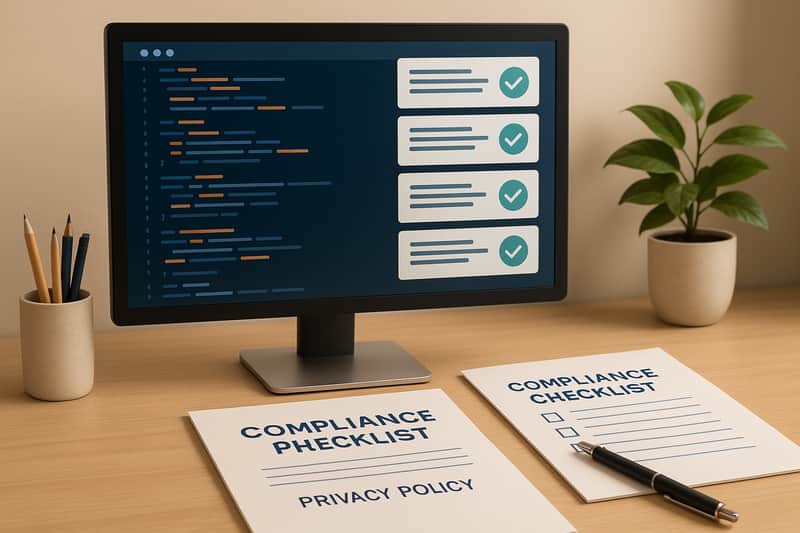
Managing third-party scripts on your website is essential to maintain compliance with privacy laws and protect user trust. These scripts - like analytics tools, ad trackers, or chat widgets - often collect user data, posing risks if not properly managed. Non-compliance can lead to legal fines, data breaches, and loss of user confidence.
Here’s the bottom line:
- Why it matters: Third-party scripts can violate laws like GDPR, CCPA, or ADA if they collect data without consent or harm accessibility.
- Common issues: Lack of consent management, improper cookie handling, and accessibility barriers are frequent problems.
- How to stay compliant: Regular audits, automated monitoring, and tools like CLUNKY.ai's dCLUNK™ scanner can help detect and fix risks.
- Key steps: Inventory all scripts, assess risks, fix critical issues, and set up automated compliance checks.
Proactively managing third-party scripts isn’t just about avoiding fines - it builds trust with your users and ensures your website operates smoothly.
Breaking Down the Complexities of Client-Side Threats and How to Stop Them | A c/side Brand Story
Legal Requirements for Third-Party Scripts
Businesses in the U.S. must navigate strict legal frameworks when it comes to handling data via third-party scripts. Non-compliance isn't just risky - it can lead to severe penalties and operational challenges.
Major U.S. Compliance Laws
Several key laws shape how third-party scripts must be managed, especially when it comes to data privacy and accessibility:
- California Consumer Privacy Act (CCPA): This law mandates transparency in how personal data from California residents is collected and used. Websites using third-party scripts for tracking or data collection must ensure compliance, giving users the ability to access, delete, or opt out of the sale of their personal data.
- Americans with Disabilities Act (ADA): Digital properties must be accessible to all users, including those relying on assistive technologies like screen readers or keyboard navigation. Scripts that disrupt accessibility can lead to legal challenges under the ADA.
- General Data Protection Regulation (GDPR): If your website serves European visitors, scripts that process data from EU residents must secure explicit consent and adhere to strict data protection rules.
- Health Insurance Portability and Accountability Act (HIPAA): Websites handling sensitive healthcare information must ensure scripts meet HIPAA's privacy and security requirements, especially when processing protected health information.
- Children's Online Privacy Protection Act (COPPA): For websites collecting data from users under 13, verifiable parental consent is required. Third-party scripts must comply with these rules to avoid violations.
Common Script Compliance Problems
Managing third-party scripts comes with several challenges that can lead to compliance issues:
- Improper Cookie Handling: Scripts that set cookies without obtaining prior user consent can breach privacy regulations.
- Lack of Consent Management: Some scripts begin collecting data as soon as a page loads, bypassing the need for user consent or opt-out options.
- Accessibility Barriers: If scripts interfere with assistive technologies, they could violate ADA requirements.
- Cross-Border Data Transfers: Scripts transferring user data to servers outside the U.S. must have safeguards in place to meet international data protection standards.
- Inadequate Data Processing Agreements: Without clear agreements, changes in how third-party providers handle data could expose businesses to compliance risks.
These issues can lead to significant legal and operational consequences if not addressed.
Penalties for Non-Compliance
Ignoring compliance obligations can result in steep financial penalties, legal settlements, and reputational damage. Beyond fines, businesses may face operational disruptions, including the need to overhaul or remove third-party functionalities critical to their website.
To avoid these pitfalls, proactive compliance management is essential. Regular audits, consistent reviews, and continuous monitoring can help identify and mitigate risks. Tools like CLUNKY.ai's dCLUNK™ scanner can assist by pinpointing potential compliance issues in third-party scripts, offering practical solutions to address them before they escalate.
Tools for Auditing Third-Party Script Compliance
Keeping third-party scripts in check requires the right tools to identify compliance risks. Combining a structured audit process with automated scanning tools can help website managers stay on top of legal requirements for third-party integrations.
How to Audit Third-Party Scripts
The first step is to list all the third-party scripts running on your website. These could include tracking pixels, analytics tools, chatbots, social media widgets, advertising scripts, or payment processors. Often, scripts are added by different teams, which can lead to unexpected additions.
The core of compliance auditing lies in analyzing script behavior. Each script should be reviewed to determine what data it collects, when it activates, and where that data is sent. Pay special attention to scripts that operate without user consent, as they can create compliance issues under laws like CCPA and GDPR.
Cookie and storage analysis is another critical area. Examine the cookies each script sets, their lifespan, and their purpose. Scripts that create persistent tracking cookies or store personal data in local storage without proper consent can lead to regulatory violations.
Also, review data transfers to ensure they meet legal safeguards, especially when dealing with international data flows.
While manual auditing is possible, automated tools can handle these tasks more efficiently, ensuring thorough and consistent results.
Automated Compliance Scanning Tools
Auditing third-party scripts manually can be labor-intensive and prone to errors, especially for websites with numerous integrations. Automated tools simplify the process by replicating and enhancing manual assessments.
One standout option is CLUNKY.ai's dCLUNK™ scanner, which conducts detailed compliance checks on third-party scripts. It evaluates cookie banners, consent flows, and flags potential GDPR and ADA compliance risks across your site. What makes dCLUNK™ unique is its ability to offer actionable recommendations rather than just pointing out issues.
The scanner covers several compliance dimensions, including accessibility checks for ADA requirements, performance evaluations for identifying poorly optimized scripts, and UX reviews to ensure consent collection is smooth. This well-rounded approach helps website managers tackle compliance challenges as a whole rather than addressing them piecemeal.
With real-time scanning, dCLUNK™ provides instant assessments for any URL, making it a practical tool for continuous monitoring. Its detailed reports prioritize issues based on severity, helping teams focus on the most pressing risks first.
Auditing Tool Feature Comparison
Choosing the right auditing tool depends on understanding the features each one offers. Comparing key features can help you decide which tool fits your needs best.
| Feature | dCLUNK™ by CLUNKY.ai | Manual Auditing | Browser Extensions |
|---|---|---|---|
| Compliance Coverage | GDPR and ADA signals | Broad but time-intensive | Limited scope |
| Automation Level | Fully automated | Manual process | Semi-automated |
| Actionable Recommendations | Provides clear steps | Requires expertise to interpret | Basic suggestions |
| Accessibility Checks | WCAG compliance analysis | Needs specialized knowledge | Varies |
| Report Export | Available in advanced plans | Manual documentation | Limited options |
| Cost | Free scanning | Internal resource cost | Often free |
| Speed | Instant results | Hours to days | Minutes to hours |
Automated tools like dCLUNK™ are especially useful for managing multiple websites or frequent updates. Instead of manually reviewing scripts for hours, these tools can scan entire sites in minutes, offering consistent and objective results.
Report quality is another factor to consider. Basic scanners often just flag potential issues, while advanced tools like dCLUNK™ explain why an issue is flagged and provide clear instructions for resolving it. This is invaluable when working with development teams that need actionable guidance.
Finally, the breadth of coverage is critical. Some tools focus on specific regulations, which could leave gaps. dCLUNK™ addresses this by analyzing compliance, UX, performance, and accessibility simultaneously, offering a more complete risk assessment.
Ultimately, the choice between manual and automated tools depends on your resources and priorities. While manual audits allow for deeper dives into specific issues, automated tools provide consistent, repeatable analysis that can be done regularly with minimal effort.
sbb-itb-641714f
Ongoing Compliance Monitoring
Ensuring compliance with third-party scripts isn’t a one-and-done task. Scripts evolve, regulations shift, and new tools are constantly added. Without regular oversight, websites can quickly fall out of compliance, leading to legal risks and user experience (UX) problems.
Third-party scripts often update automatically. For example, a tracking pixel that was compliant last month might start collecting additional data this month - without notifying your team. On top of that, new tools are sometimes added without a thorough compliance review.
Regular monitoring helps catch these changes before they escalate into bigger issues. It also flags when scripts malfunction, consent tools break, or new privacy laws require updates to your compliance strategy.
Best Practices for Continuous Monitoring
To stay ahead, systematic and automated monitoring is critical. Relying on manual checks is risky - they can be delayed or forgotten altogether. Here’s how to make monitoring effective:
- Automate regular scans. For most sites, weekly scans are sufficient, but high-traffic pages might require daily checks. This ensures issues are detected early enough to address them before they affect users or attract regulatory scrutiny.
- Set up compliance alerts. Alerts should notify both technical and legal teams immediately, providing enough detail to assess the issue without diving into lengthy reports. This ensures swift action when problems arise.
- Integrate monitoring into your development process. Compliance checks should be part of your quality assurance (QA) workflow whenever new features launch or third-party scripts are added. This helps prevent compliance issues from reaching production.
- Maintain a central registry of third-party scripts. Document what data each script collects, the team responsible for it, and the date of the last review. This makes it easier to assess the impact of compliance issues and ensures accountability.
- Define escalation procedures. Minor issues, like cookie banner glitches, might be handled by developers, while more serious violations - such as unauthorized data transfers - may require immediate legal attention. Clear procedures prevent delays when issues arise.
Compliance Monitoring Software
Specialized compliance tools simplify the process of ongoing monitoring. Automated solutions reduce the manual workload, making it easier to maintain compliance over time. These tools can track changes in script behavior, monitor consent mechanisms, and send alerts about potential violations.
One such tool is CLUNKY.ai's dCLUNK™ scanner, which offers robust capabilities for monitoring third-party script compliance. Automated scans come at no extra cost and evaluate GDPR and ADA compliance signals across your website. This makes it practical for continuous monitoring rather than relying on sporadic audits.
Consistency is key. Tools like dCLUNK™ ensure every scan applies the same compliance criteria, making it easier to detect changes in script behavior reliably. This level of consistency is difficult to achieve with manual reviews, where human error or oversight can occur.
Real-time scanning is another major advantage. You can check compliance status immediately after making website changes, such as adding new tracking scripts during a marketing campaign or updating existing integrations.
The scanner also provides actionable recommendations, guiding teams on how to resolve compliance issues efficiently. This minimizes the time between detection and resolution, reducing exposure to potential risks. For example, teams can receive specific, step-by-step instructions for addressing GDPR violations.
Prioritized issue reporting ensures that the most critical problems are addressed first. Not all violations pose the same level of risk, so focusing on high-severity issues helps mitigate the most significant threats quickly.
For businesses managing multiple websites, centralized monitoring becomes a necessity. Manually checking compliance across various domains and subdomains is both time-consuming and error-prone. Automated tools streamline this process, offering a unified view of compliance across your entire web presence.
The success of ongoing monitoring lies in automation. The fewer manual steps required, the less likely monitoring will be skipped during hectic periods. Tools like dCLUNK™ that deliver instant results with minimal setup ensure that consistent monitoring becomes a seamless part of your routine.
How to Achieve and Maintain Compliance
Maintaining compliance isn't a one-and-done task. It's an ongoing process that requires a structured, repeatable approach. By combining consistent monitoring with a clear plan of action, you can ensure your website stays compliant over time. This step-by-step guide builds on earlier discussions about auditing and monitoring, helping you create a system that prevents backsliding into non-compliance.
Effective compliance programs rely on two key components: a thorough initial audit and ongoing monitoring. Together, these ensure you address existing issues while staying ahead of potential new risks. Without both, even the best remediation efforts can fall apart in just a few months.
Step-by-Step Compliance Process
1. Start with a comprehensive script inventory.
Take stock of every third-party tool running on your website. This includes analytics platforms, marketing pixels, chat widgets, and social media integrations. Many organizations discover tools they forgot existed or scripts added by other teams without coordination.
For each script, record its purpose, the data it collects, its origin, and any consent mechanisms in place. This inventory will serve as your baseline for all future compliance efforts. Be sure to include details like the last review date and whether the script meets current compliance standards.
2. Assess the risk level of each script.
Focus on high-risk scripts first. These are typically tools that collect personal data, track users across multiple sites, or transfer data internationally. Examples include payment processors, advertising pixels, and CRM integrations. Lower-risk scripts, like basic website functionality tools or content delivery networks, can be addressed later. A clear risk assessment helps you prioritize effectively.
3. Use specialized tools for compliance audits.
Tools like CLUNKY.ai's dCLUNK™ scanner can streamline your compliance checks. This scanner evaluates GDPR and ADA compliance across your website, pinpointing specific violations and offering tailored instructions for remediation. Automated tools like this not only save time but also support ongoing compliance by catching issues as they arise.
4. Tackle high-priority issues first.
Start with critical violations that could lead to regulatory penalties. These might include missing consent banners, unauthorized data collection, or privacy controls that don’t function properly. Once these are resolved, move on to medium and low-priority issues. Keep track of every fix to ensure consistency across your site and to educate your team about proper compliance practices.
5. Establish automated weekly scans.
Set up automated scans with alerts to notify both your technical and legal teams when new issues pop up. This helps you stay ahead of compliance drift caused by automatic script updates or the addition of new tools without proper review.
Building a Compliance Checklist
A structured checklist is key to standardizing compliance efforts. It ensures nothing gets overlooked and keeps your team aligned on both technical and legal requirements. Here are the essential elements to include:
- Consent mechanism verification: Confirm that cookie banners display correctly, consent choices are recorded accurately, and users can withdraw consent easily. Test these features across various devices and browsers to ensure they work consistently.
- Data collection validation: Verify that scripts collect only the data types outlined in your privacy policy. Ensure personal information isn’t being transmitted without consent and that all data transfers comply with international regulations.
- Accessibility checks: Make sure compliance tools, like cookie banners and consent forms, are accessible to users with disabilities. They should be keyboard-navigable and compatible with screen readers.
- Script approval workflows: Implement a process requiring compliance reviews before new third-party tools go live. This prevents non-compliant scripts from being deployed and reduces the need for emergency fixes.
- Scheduled compliance reviews: Regular reviews should be part of your routine. For most organizations, quarterly reviews are sufficient, but high-traffic websites or those in heavily regulated industries might need monthly assessments.
Your checklist should also include escalation procedures. For example, minor issues like cookie banner display errors can be handled by developers, while serious violations involving unauthorized data collection should be flagged for immediate legal review.
Tailor your checklists to different scenarios. Create specific versions for new website launches, major updates, or third-party integrations. These tailored lists ensure that compliance measures are applied appropriately, no matter the situation.
Finally, remember that the most effective checklists are living documents. Update them regularly to reflect new regulations, insights from past audits, and changes in your technology stack. This keeps your compliance program relevant and thorough.
Conclusion
Ensuring third-party script compliance is critical for safeguarding your business and earning user trust. As privacy regulations shift and expand, staying ahead of compliance requirements is no longer optional - it's a necessity. Businesses that view compliance as an afterthought often find themselves facing preventable violations, which can lead to costly consequences.
The foundation of effective compliance lies in combining thorough initial audits with ongoing monitoring. Tools like CLUNKY.ai's dCLUNK™ scanner make this process straightforward by automatically identifying violations and offering clear remediation steps. Continuous monitoring replaces outdated one-time audits, keeping your site aligned with changing scripts and regulations.
Automation is a game-changer in this space. Manual audits are not only time-intensive and prone to errors but also challenging to scale for larger websites. With dCLUNK™ scans available at no cost, integrating regular compliance checks into your website maintenance is both practical and accessible.
Investing in compliance management offers more than just protection from penalties. A proactive approach helps establish trust with users, preparing your site for evolving standards. In today’s digital landscape, users expect transparency regarding how their data is handled. Websites that prioritize compliance foster stronger relationships with their audience and often enjoy higher conversion rates. On the flip side, non-compliance risks hefty fines and a damaged reputation.
As regulations continue to evolve, successful organizations will be those that embed compliance into their everyday operations. Treating it as part of your standard workflow - not a one-off project - ensures you're always prepared. By using automated tools, setting clear processes, and conducting regular reviews, you can tackle compliance challenges effectively while keeping your focus on growing your business.
Audit your scripts, address critical issues, and automate monitoring to make compliance an integral, stress-free part of your routine. With the right strategies and tools, staying compliant becomes less of a burden and more of a seamless aspect of your website management.
FAQs
How can businesses ensure their third-party scripts comply with regulations like GDPR and CCPA?
To comply with regulations like GDPR and CCPA, businesses need to actively manage how they use third-party scripts. Start by obtaining explicit user consent before loading any tracking scripts. Use tools to block non-essential scripts until consent is granted. It’s also a good idea to regularly audit your website to spot any compliance issues linked to third-party integrations.
Keep a well-organized record of all third-party scripts you use, along with details about their data-handling practices. Being ready to handle data subject access requests (DSARs) is equally important. These requests allow individuals to view, update, or delete their personal data. By prioritizing privacy and staying alert to compliance needs, businesses can not only meet legal standards but also earn user trust.
What risks can arise from mismanaging third-party scripts on a website?
Mismanaging third-party scripts on your website can open the door to a host of problems that could hurt your business:
- Data breaches and privacy risks: If a third-party script is compromised or malicious, it could expose sensitive user information, like personal details or payment data. This not only damages trust but could also lead to legal consequences.
- Security vulnerabilities: Attackers can exploit these scripts to insert harmful elements, such as malware or phishing schemes, putting your site and its visitors at risk.
- Performance issues: Poorly optimized scripts can drag down your website's speed, frustrating users, reducing conversions, and negatively impacting your search rankings.
- Non-compliance with regulations: Even though third-party scripts collect data, your business is still responsible for ensuring compliance with privacy laws. Failure to do so could result in hefty fines or legal action.
To avoid these pitfalls, it's crucial to routinely audit and monitor all third-party scripts. This helps keep your website secure, compliant, and a positive experience for your users.
Why is it important to monitor third-party scripts to ensure compliance and protect user data?
Keeping a close eye on third-party scripts is crucial for safeguarding user data and ensuring compliance. Regular checks can uncover potential security threats, such as malicious code or unauthorized data access, before they escalate into serious problems.
Monitoring also ensures that scripts are implemented securely, reducing risks like unencrypted connections that could leave your site vulnerable. Maintaining an up-to-date inventory of these scripts gives website managers better control over what’s running on their site, helping to prevent unexpected data leaks or compliance violations. Staying vigilant not only protects your website but also preserves the trust of your users.
AI-built site angle
Accessibility on AI-built sites: the 5 axe-core violations we see most
If you are building with Lovable, v0 or Bolt, start with the accessibility failures AI-generated components most often miss.
Read the deep diveHow this was checked
Clunky AI separates sourced facts, measured scan evidence and editorial judgement. We do not sell rankings or let rated companies pay to alter coverage.
Read the editorial policyExplore the six basics
Every Clunky AI article maps back to one or more of the questions a business site has to answer.
Related Posts
Tags AccessibilityPerformanceUser Experience
Category Website Compliance