Website Accessibility FAQ: Legal Requirements
5/15/2026 • 9 min read
Website Accessibility FAQ: Legal Requirements
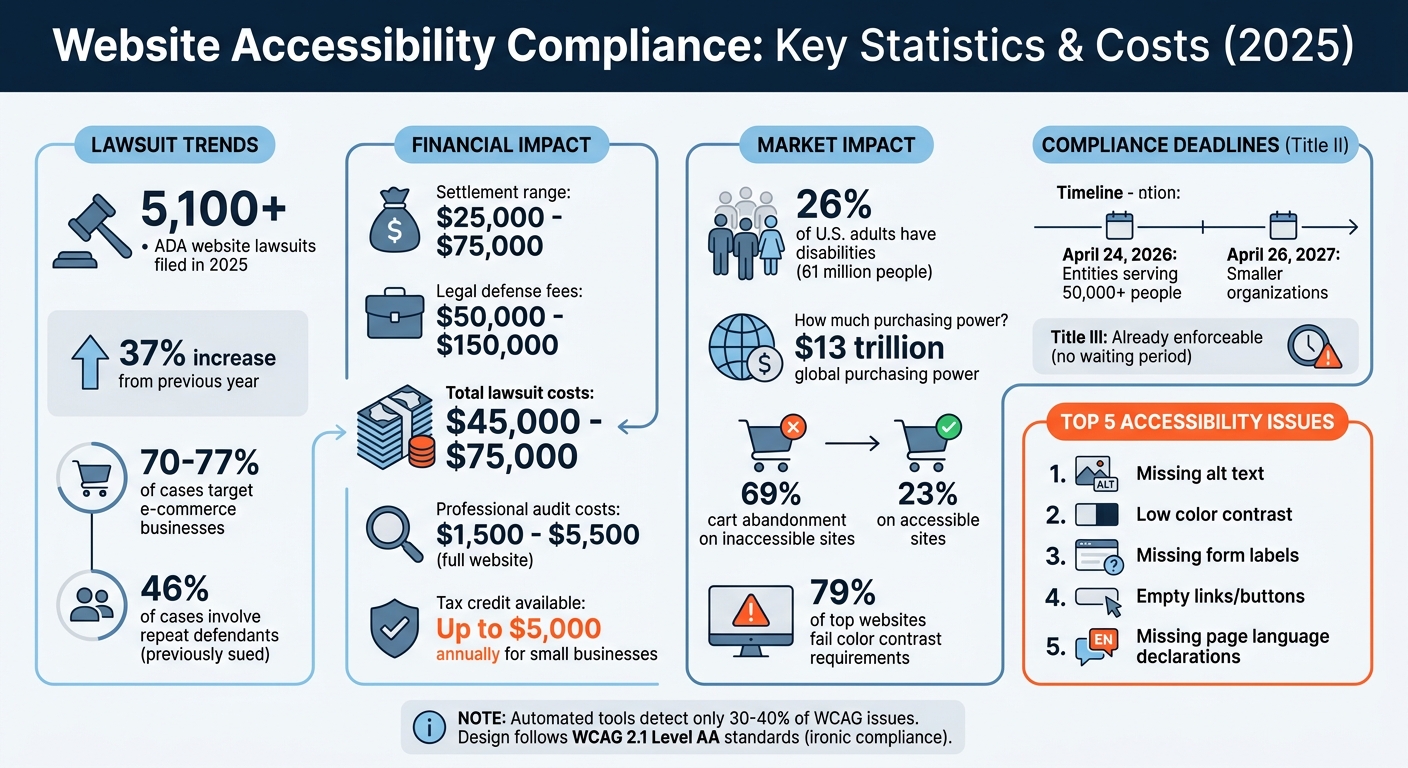
Website accessibility is not optional - it’s a legal requirement. The Americans with Disabilities Act (ADA) and Section 508 of the Rehabilitation Act mandate that websites be accessible to individuals with disabilities. Non-compliance can lead to lawsuits, with settlements ranging from $25,000 to $75,000, plus legal fees. In 2025 alone, over 5,100 ADA website lawsuits were filed, a 37% increase from the previous year, largely targeting e-commerce sites.
Key Points:
- ADA Title II applies to government entities; Title III covers private businesses.
- WCAG 2.1 Level AA is the recognized standard for accessibility.
- Risks include financial penalties, repeat lawsuits, and reputational damage.
- Accessibility improvements like alt text, color contrast, and form labels are essential.
- Tools like CLUNKY.ai can help identify and fix compliance issues efficiently.
Website Accessibility Compliance Statistics and Costs 2025
The Quick 2025 Summary of ADA Website Compliance (You'll Get the Big Picture)
sbb-itb-641714f
Key Accessibility Laws and Standards
Understanding the laws governing accessibility is a critical first step for achieving compliance. In the United States, several overlapping regulations address digital accessibility requirements.
ADA Compliance: Title II vs. Title III
The Americans with Disabilities Act (ADA) divides accessibility responsibilities into two main categories. Title II focuses on state and local government entities, such as public schools, DMV offices, municipal websites, and city services. These entities are required to meet WCAG 2.1 Level AA standards. Compliance deadlines are set for April 24, 2026, for entities serving 50,000 or more people, and April 26, 2027, for smaller organizations.
On the other hand, Title III applies to private businesses that serve the public, including retail stores, banks, and restaurants. Unlike Title II, Title III does not specify a formal technical standard. However, WCAG 2.1 Level AA has become the go-to standard recognized by U.S. courts and the Department of Justice (DOJ) [9, 13]. Importantly, Title III is already enforceable, meaning businesses can face lawsuits or demand letters for accessibility issues today.
Several high-profile settlements highlight the importance of compliance. For instance, the DOJ worked with Rite Aid to improve accessibility in its COVID-19 Vaccine Registration Portal and required H&R Block to ensure compatibility with screen readers and Braille displays.
Federal regulations further emphasize the national commitment to accessibility.
Section 508 Requirements for Federal Agencies
Section 508 of the Rehabilitation Act mandates that federal agencies and their contractors make electronic and information technology accessible to individuals with disabilities. This requirement applies broadly to federal agencies, higher education institutions, and government contractors receiving federal funds. Covered digital content includes websites, web applications, mobile apps, software, hardware (like kiosks and printers), and documents such as PDFs and Microsoft Office files.
The 2018 Revised 508 Standards align with WCAG 2.0 Level AA, but many agencies are adopting WCAG 2.1 as a practical standard. Additionally, federal procurement processes require vendors to submit a Voluntary Product Accessibility Template (VPAT), which documents how their products meet Section 508 standards.
These federal regulations underscore why WCAG 2.1 Level AA has become the preferred benchmark for accessibility.
WCAG 2.1 Level AA: The Industry Standard
WCAG 2.1 Level AA serves as the technical foundation for many U.S. accessibility laws, including ADA Title II and Section 508 [16, 14]. The guidelines are built around four key principles, summarized by the acronym POUR:
- Perceivable: Users must be able to perceive the information and user interface components.
- Operable: All functionality should be accessible via a keyboard.
- Understandable: Content should behave in predictable and consistent ways.
- Robust: Content must work with assistive technologies.
Level AA strikes a balance between accessibility and technical feasibility. For example, it requires a minimum contrast ratio of 4.5:1 for standard text and 3:1 for larger text, and ensures text can be resized up to 200% without losing functionality.
As D2i Technology explained:
The 2026 update formally aligns ADA digital accessibility requirements with WCAG 2.1 Level AA. This standard ensures digital experiences are Perceivable, Operable, Understandable, and Robust.
Risks of Non-Compliance
The risks of ignoring accessibility standards are hard to overstate. Beyond being a legal requirement, non-compliance exposes businesses to significant legal, financial, and reputational challenges. The numbers speak for themselves: in 2025, over 5,100 federal ADA website lawsuits were filed - a 37% jump from the previous year - with e-commerce businesses making up roughly 70% to 77% of these cases. These statistics highlight the urgency of meeting accessibility standards.
The financial fallout can be staggering. Legal defense fees alone can range from $50,000 to $150,000, while the overall costs of lawsuits - including settlements, remediation, and ongoing legal expenses - typically fall between $45,000 and $75,000. As Vezert aptly put it:
Ignoring accessibility in 2026 isn't a calculated risk. It's a ticking clock.
Repeat litigation is another pressing concern. Nearly 46% of federal cases in 2025 involved companies that had already been sued, making prior lawsuits a strong indicator of future legal trouble. Law firms can now use automated tools to detect WCAG violations in under a minute, enabling them to file template-based complaints quickly and at scale.
Businesses relying on accessibility overlays or widgets face unique vulnerabilities. These JavaScript tools fail to address deeper code issues, and 22.6% of ADA lawsuits in early 2025 specifically targeted websites using such solutions. In one high-profile case, the Federal Trade Commission fined AccessiBe $1 million in January 2025 for falsely claiming its AI-driven overlay guaranteed ADA compliance.
The consequences extend beyond legal and financial penalties. Non-compliance can severely harm a company's reputation and alienate a significant customer base. People with disabilities account for 26% of U.S. adults - around 61 million individuals - with a combined global purchasing power estimated at $13 trillion. Inaccessible websites also face a 69% cart abandonment rate, compared to just 23% for accessible e-commerce sites. Excluding users with disabilities not only invites lawsuits but also drives away potential customers and undermines efforts toward inclusivity. Addressing accessibility isn’t just about avoiding penalties - it’s essential for long-term business success.
How to Ensure Website Accessibility Compliance
You don’t need to completely rebuild your website to meet accessibility standards. By combining automated scanning tools with targeted manual testing, you can address about 70% of common accessibility issues. Focus on five key problem areas: missing alt text, low color contrast, missing form labels, empty links or buttons, and missing page language declarations. These steps not only reduce legal and financial risks but also enhance the overall user experience.
Conducting an Accessibility Audit
Start by defining the scope of your audit. Pay special attention to high-traffic pages like your homepage, the ten most visited pages, and critical user flows such as checkout, login, and contact forms.
Begin with an automated scan to catch technical issues. Automated tools are great for spotting problems like insufficient color contrast, which affects about 79% of top websites. However, these tools alone usually detect only 30–40% of WCAG issues. To fill in the gaps, perform manual tests for keyboard and screen reader functionality, especially on forms and error messages. Test keyboard navigation to ensure every interactive element is accessible, has a clear focus indicator, and avoids keyboard traps. Document each violation along with its corresponding WCAG criterion, severity, and a suggested fix.
Once you’ve identified the issues, focus on fixing the ones that have the greatest impact on accessibility.
Making Accessibility Improvements
Concentrate on resolving issues in high-traffic areas such as checkout processes, registration forms, and main navigation.
For images, write alt text that conveys the purpose of the image rather than just describing it. For example, use "Search" instead of "magnifying glass icon". For purely decorative images, use an empty alt attribute (alt="") so screen readers skip them.
Forms should have every input field associated with a <label> using the for attribute. Don’t rely solely on placeholder text, and provide clear error messages with specific instructions for corrections when needed.
Ensure your website meets color contrast standards: a 4.5:1 ratio for standard text and 3:1 for larger text or UI elements. Add a "Skip to Main Content" link at the top of each page to help keyboard users bypass repetitive navigation, and structure your headings logically (e.g., H1, H2, H3) without skipping levels.
Professional accessibility audits typically cost between $100 and $250 per page, while full audits for standard business websites range from $1,500 to $5,500. If you run a small business, you might qualify for a tax credit of up to $5,000 annually to offset accessibility-related expenses.
To keep your site compliant over time, automate regular checks for new issues.
Using CLUNKY.ai for Compliance
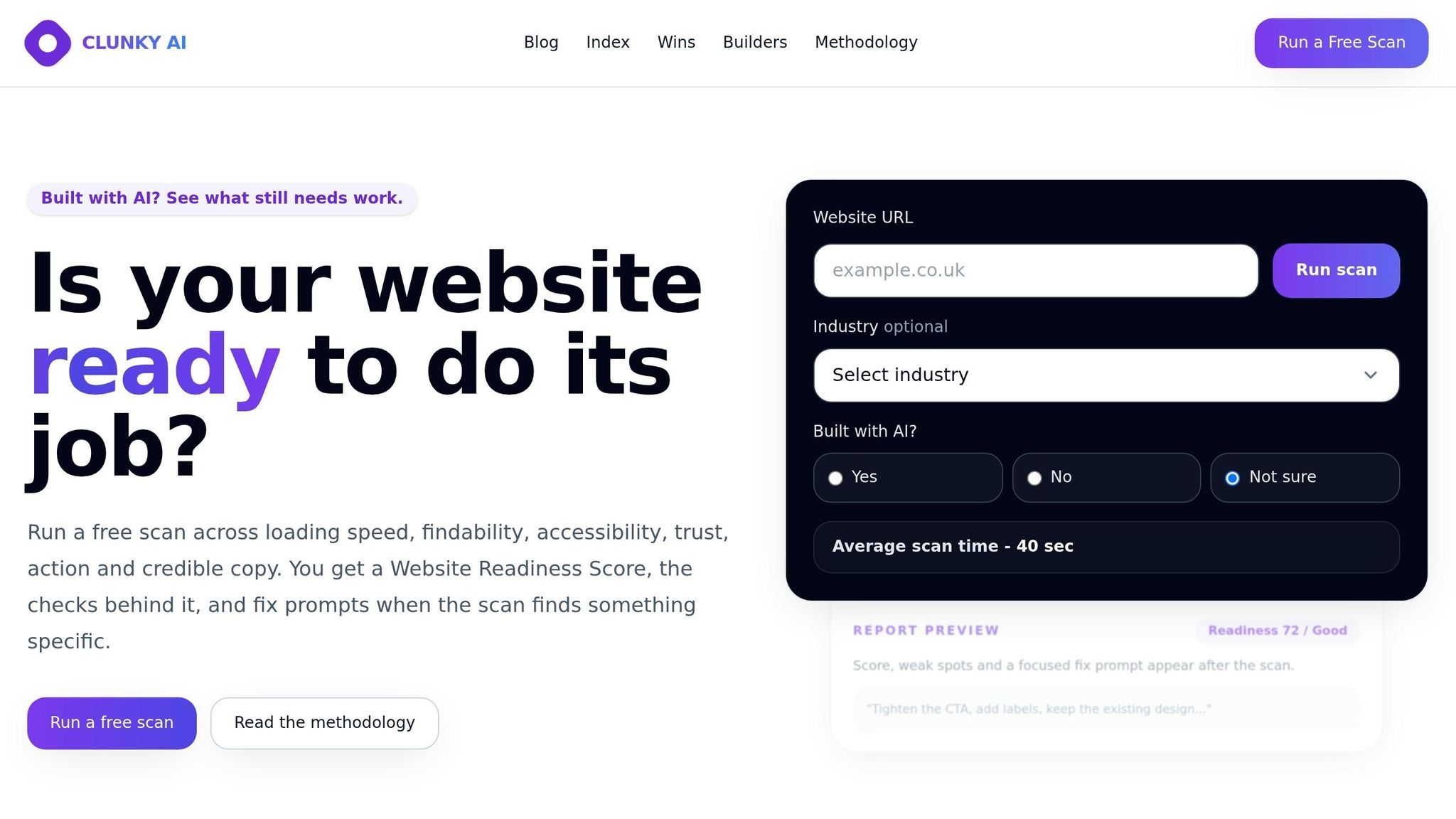
CLUNKY.ai’s dCLUNK™ tool simplifies the process of identifying WCAG 2.1 and 2.2 Level AA violations. It scans your entire website in minutes, flagging issues like missing alt text, low color contrast, and missing form labels - tasks that would take days to complete manually.
The platform provides a baseline compliance score and a prioritized action plan, helping you address the most impactful issues first. Since websites are constantly updated, regular automated scans can catch new problems caused by content changes, plugin updates, or design tweaks before they turn into legal concerns.
CLUNKY.ai offers free scans, making it an affordable way to demonstrate good faith efforts toward compliance - a factor that may work in your favor in legal situations.
Start by scanning high-risk pages such as your homepage, contact page, product or service pages, and checkout or booking flows. Set up regular monitoring to maintain compliance as your site evolves, and document each scan and fix to show your commitment to meeting WCAG 2.1 AA standards.
Conclusion
Making your website accessible isn’t just a good idea - it’s a legal obligation that safeguards your business while expanding your audience. Recent ADA lawsuits highlight the financial risks of ignoring accessibility, with settlements often reaching high amounts. Beyond avoiding legal trouble, an accessible website opens the door to a large, often overlooked audience, emphasizing the importance of including accessibility in your digital strategy.
The good news? Compliance doesn’t mean starting from scratch. By tackling common accessibility issues with automated tools and focused testing, you can achieve compliance in a cost-effective way.
As your website grows - whether through new blog posts, product updates, design changes, or plugin additions - regular scans are essential to catch and fix potential accessibility problems early. Tools like CLUNKY.ai make this process seamless, offering free scans to help you stay ahead of issues and demonstrate your commitment to accessibility. With CLUNKY.ai, you can monitor your site proactively and maintain compliance without breaking the bank, ensuring your site remains inclusive and legally sound as it evolves.
FAQs
Does my website need to follow WCAG 2.1 AA?
To align with ADA regulations by 2026, your website needs to adhere to WCAG 2.1 AA standards. Both courts and the Department of Justice (DOJ) are increasingly viewing the ADA as mandating that websites comply with accessibility guidelines like WCAG 2.1 AA. This ensures your site is accessible to all users while also meeting legal obligations.
What’s the fastest way to reduce ADA lawsuit risk?
The fastest way to reduce the risk of ADA lawsuits is by addressing common WCAG issues. Start by adding descriptive alt text to all images, ensuring a logical and proper heading structure, and making interactive elements accessible via keyboard. These adjustments tackle more than 90% of ADA website compliance problems, cutting down legal risks significantly.
Do accessibility overlays make me compliant?
Accessibility overlays, while helpful in some instances, don't guarantee compliance with WCAG (Web Content Accessibility Guidelines) or ADA (Americans with Disabilities Act) requirements. Using them as a sole solution can leave your website vulnerable to legal challenges. This is because overlays don't tackle accessibility problems at their core, nor do they offer any safeguard against potential lawsuits.
Explore the six basics
Every Clunky AI article maps back to one or more of the questions a business site has to answer.
Related Posts
Tags AccessibilityResponsive DesignUser Experience
Category Website Compliance