Top 10 Real-Time Accessibility Tools for WCAG Compliance
5/4/2026 • 21 min read
Top 10 Real-Time Accessibility Tools for WCAG Compliance
Real-time accessibility tools are essential for maintaining WCAG compliance on dynamic websites. Unlike periodic audits, these tools continuously monitor, identify, and help fix accessibility issues as they arise. They integrate into development workflows, CI/CD pipelines, and CMS platforms, ensuring accessibility is prioritized throughout the development lifecycle. Here's a quick overview of the top tools:
- axe DevTools: Reliable with zero false positives, supports WCAG 2.0–2.2, integrates with IDEs and CI/CD pipelines. Free tier available; Pro starts at $8/month.
- WAVE: Visual feedback with browser extensions and an API for monitoring. Free for basic use; API starts at $0.04 per credit.
- Accessibility Assistant: AI-powered scans and widget for real-time fixes. Pricing starts at $10/month.
- Google Lighthouse: Free, open-source tool in Chrome DevTools for quick audits. Supports WCAG 2.0–2.2.
- BrowserStack Accessibility Testing: Combines automated scans with real-device testing. Plans start at $199/month.
- Siteimprove: Continuous monitoring with CMS integration. Enterprise pricing starts at ~$3,600/year.
- Tenon.io: API-first model for CI/CD integration. Subscriptions start at $39/month.
- Accessibility Insights: Free tool by Microsoft for automated and manual testing. Supports WCAG 2.0–2.2.
- ARIA by Equally AI: AI-driven solution with limited public details. Subscription-based pricing.
- CLUNKY.ai: Free, on-demand scanning for AI-built websites using axe-core.
Quick Comparison:
| Tool | Real-Time Monitoring | Pricing | Integration Options | WCAG Standards |
|---|---|---|---|---|
| axe DevTools | IDE linting, CI/CD integration | Free; Pro starts at $8/mo | VS Code, GitHub, Playwright | WCAG 2.0–2.2 |
| WAVE | Visual feedback, API monitoring | Free; API starts at $0.04 | Browser extensions, Pope Tech | WCAG 2.0–2.2 |
| Accessibility Assistant | AI-powered scans, widget | Starts at $10/mo | Shopify, WordPress | WCAG 2.1–2.2 |
| Google Lighthouse | Chrome DevTools, CLI | Free | Chrome DevTools, CI/CD | WCAG 2.0–2.2 |
| BrowserStack | Device testing, automated scans | Starts at $199/mo | Selenium, CI/CD | WCAG 2.1–2.2 |
| Siteimprove | Continuous monitoring | ~$3,600+/year | CMS platforms, Selenium | WCAG 2.0–2.2 |
| Tenon.io | API-first, CI/CD integration | Starts at $39/mo | CI/CD pipelines, headless crawls | WCAG 2.0–2.2 |
| Accessibility Insights | Fast automated/manual testing | Free | Browser extensions | WCAG 2.0–2.2 |
| ARIA by Equally AI | AI-driven widget | Subscription-based | CMS platforms | WCAG 2.1–2.2 |
| CLUNKY.ai | On-demand scans | Free | AI website builders | WCAG 2.1–2.2 |
These tools address a range of needs, from free browser extensions for small teams to enterprise-grade solutions with advanced integrations. For best results, combine automated tools with manual testing to ensure thorough accessibility compliance.
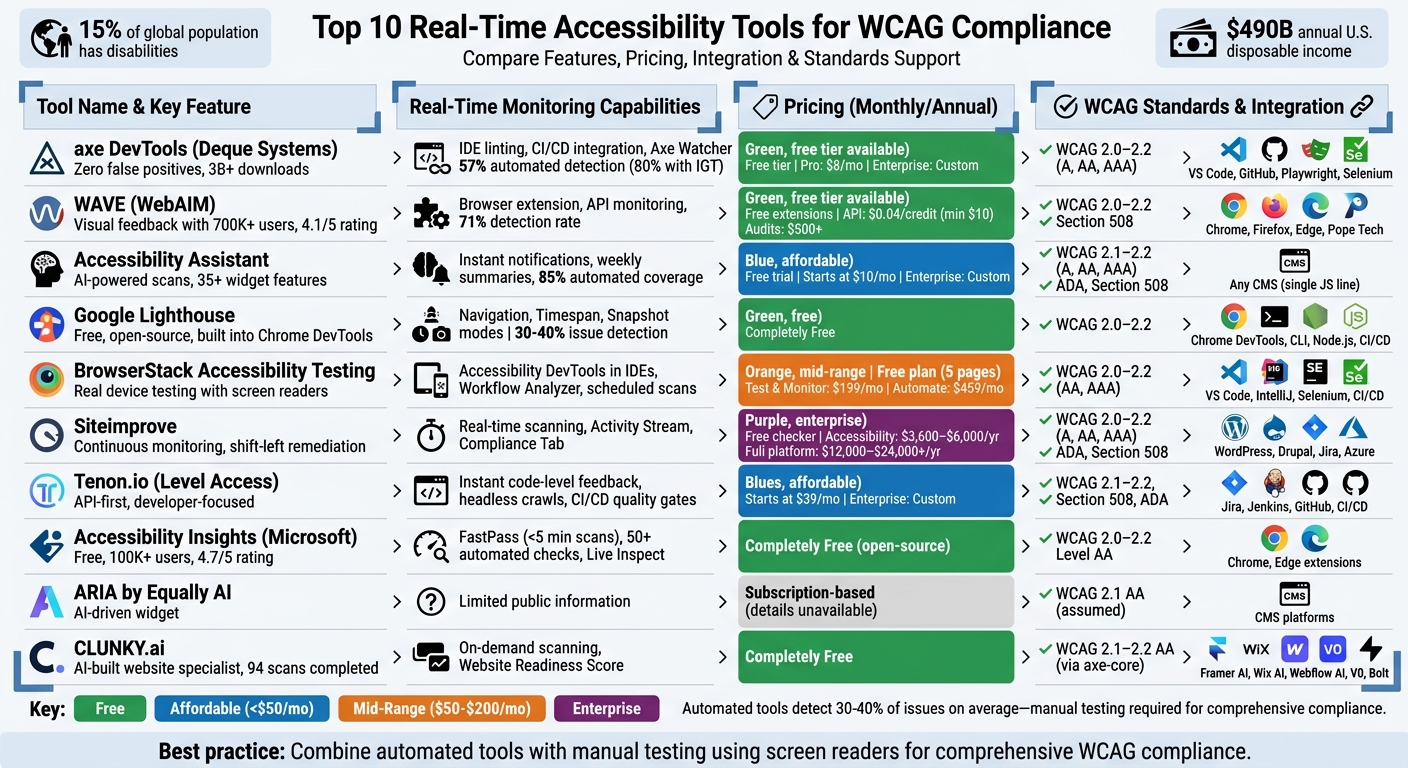
Top 10 Real-Time Accessibility Tools: Features, Pricing & WCAG Compliance Comparison
Top 5 Accessibility Testing Tools for 2025
1. axe DevTools (Deque Systems)
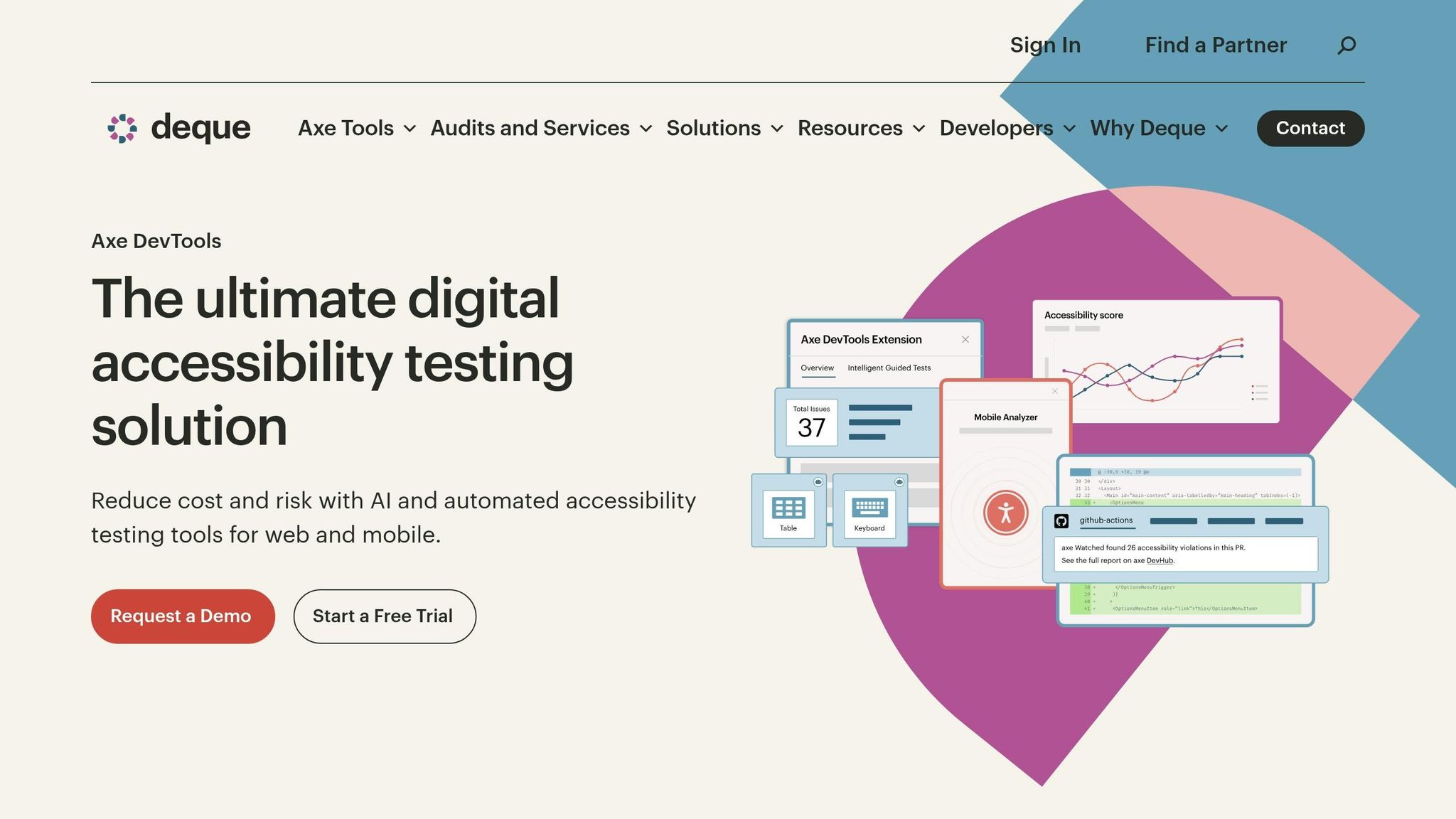
Axe DevTools brings accessibility testing directly into your workflow, helping identify issues before they reach production. Powered by the axe-core engine - which boasts over 3 billion downloads - and a browser extension with more than 800,000 installations on the Chrome Web Store, this tool is widely trusted for its reliability. Its standout feature? Zero false positives - every flagged issue is a confirmed accessibility violation.
Real‑Time Monitoring Capabilities
Axe DevTools adopts a "shift-left" approach, focusing on early testing during development. Features like Axe Watcher detect changes in automated tests instantly, while the Axe DevTools Linter delivers fast feedback directly in your IDE or during pre-commit checks.
Bob Andreasen, Executive Director of Software Quality Assurance at Harland Clarke, highlights the value of automation:
"Having tools that allow you to automate the scans and integrate them into your build process helps a lot because you don't have to rely on somebody remembering to do it as part of your release process - it just happens automatically."
Automated testing with axe DevTools can identify approximately 57% of WCAG issues. With the help of Intelligent Guided Testing (IGT), which uses AI prompts to tackle complex challenges like keyboard focus and alt text evaluation, detection rates can climb to 80% before production.
Integration Options
The tool’s browser extension integrates seamlessly with Chrome, Firefox, and Edge DevTools, enabling quick, page-by-page testing. For more advanced needs, the enterprise bundle supports major testing frameworks such as Selenium (Java), Cypress, Playwright, Puppeteer, and WebdriverIO. It also integrates into CI/CD pipelines, allowing builds to fail or pull requests to be blocked when critical violations are found. Additionally, Jira integration simplifies bug tracking, with export options available in JSON, CSV, and JUnit XML formats - streamlining accessibility monitoring throughout the development lifecycle.
Pricing Models
Axe DevTools offers flexible pricing to accommodate different users:
- Free Tier: Includes the basic browser extension, automated testing, and access to the open-source axe-core library.
- Pro Tier: Offers a 14-day free trial (no credit card required) and adds features like Intelligent Guided Tests, component-level testing, user flow analysis, and Jira integration.
- Enterprise Bundle: Delivers advanced capabilities such as CI/CD integration, API access, the Axe DevTools Linter, centralized reporting, and more. Pricing is available upon request.
WCAG Standards Supported
Axe DevTools supports WCAG 2.0, 2.1, and 2.2 at A, AA, and AAA conformance levels, as well as Section 508 and EN 301 549 standards. It provides actionable, code-level suggestions and highlights issues directly on the webpage or in your IDE for faster fixes. Axe Monitor has already identified more than 90 million issues across thousands of pages for enterprise clients. Notably, Deque Systems was recognized as a Leader in The Forrester Wave™: Digital Accessibility Platforms, 2025.
2. WAVE (WebAIM)
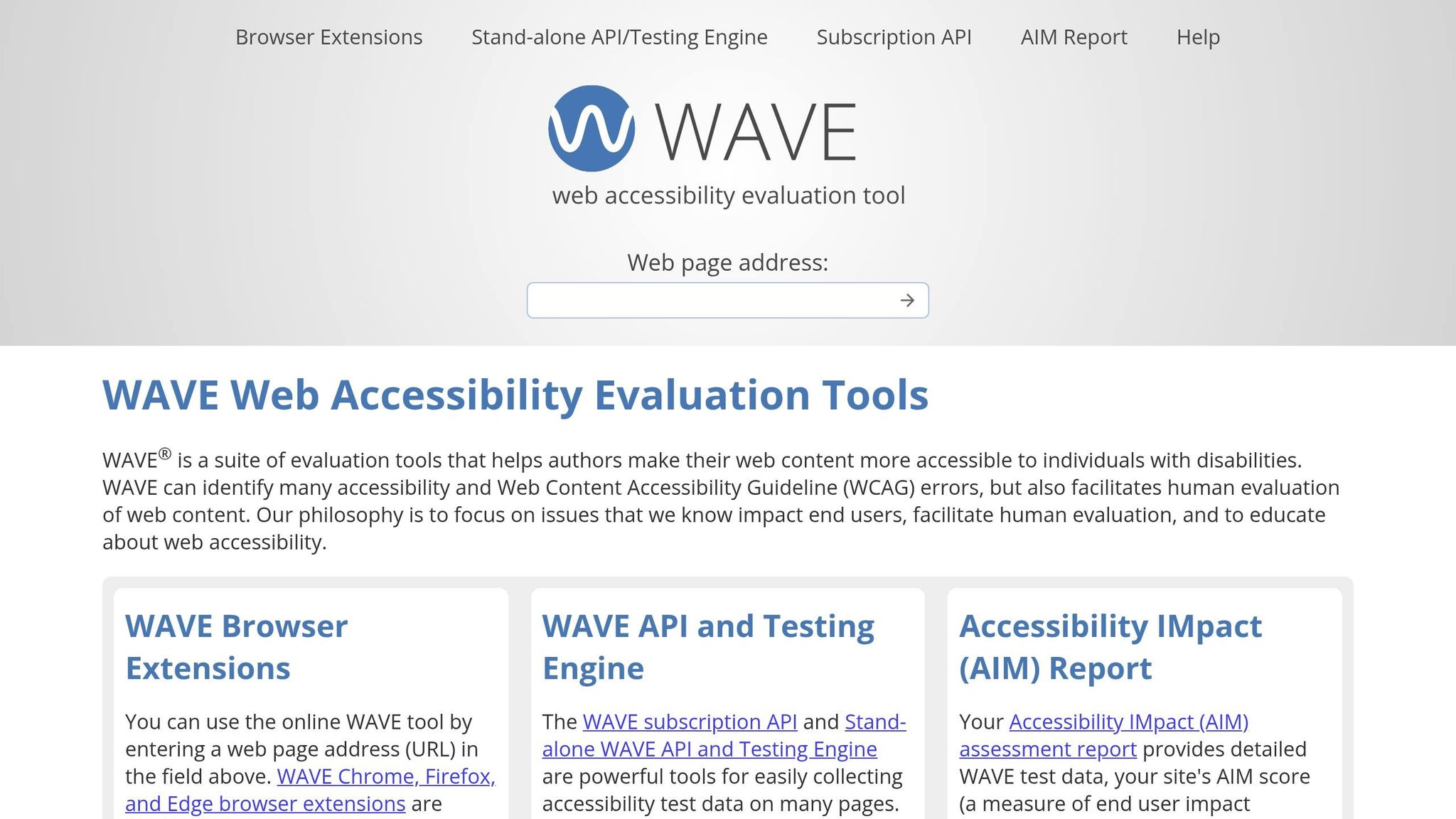
WAVE provides an immediate and visual way to test web accessibility in a continuous monitoring setup. By injecting icons and indicators directly into your webpage, it highlights accessibility issues in real time. With more than 700,000 users on the Chrome Web Store and a 4.1/5 rating, WAVE has become a popular tool for making accessibility both visible and easier to understand.
Real-Time Monitoring Capabilities
The WAVE browser extension evaluates your web page after CSS and JavaScript have loaded, ensuring the analysis reflects the actual user experience. Its Navigation Order panel shows details like tab order, element roles, and accessible names. Meanwhile, the Contrast panel tests color combinations against WCAG AA and AAA standards in real time, even accounting for alpha transparency and opacity.
WebAIM highlights the importance of human judgment in accessibility testing:
"WAVE does not determine if your web content is accessible. Only a human can determine true accessibility." – WebAIM
In tests involving 47 known WCAG 2.2 violations, WAVE detected 71% of the issues, with an 8% false positive rate. Its Reference tab explains the WCAG guidelines behind each error, helping developers not just identify problems but also understand their significance.
Integration Options
WAVE offers several deployment options to suit different needs. The free browser extensions for Chrome, Firefox, and Edge work locally, with no data sent to external servers, making them perfect for secure or intranet pages. For automated testing, the WAVE API delivers data in JSON or XML formats, which can integrate seamlessly into CI/CD pipelines. A stand-alone API and Testing Engine can also be installed on private infrastructure, allowing secure testing of non-public pages during continuous integration. For enterprise users, WAVE integrates with Pope Tech to enable long-term monitoring and reporting.
Pricing Models
The browser extensions and online tool are available at no cost. The WAVE API uses a credit-based system, starting at $0.04 per credit, with a 250-credit minimum ($10). New accounts receive 100 free credits for initial testing. Discounts apply for larger volumes, with credits costing $0.03 for 1,000–9,999 credits and $0.025 for 10,000 or more. Professional site-wide audits, offered through the Accessibility IMpact (AIM) Report, start at $500.
WCAG Standards Supported
WAVE supports WCAG 2.0, 2.1, and 2.2 success criteria, as well as Section 508 compliance. It uses a color-coded overlay system to provide visual feedback: red highlights errors, yellow marks alerts that need human review, and green confirms correctly implemented accessibility features. The December 2025 release of version 3.3.0.4 introduced better support for ARIA headings and "prefers-reduced-motion" settings.
3. Accessibility Assistant
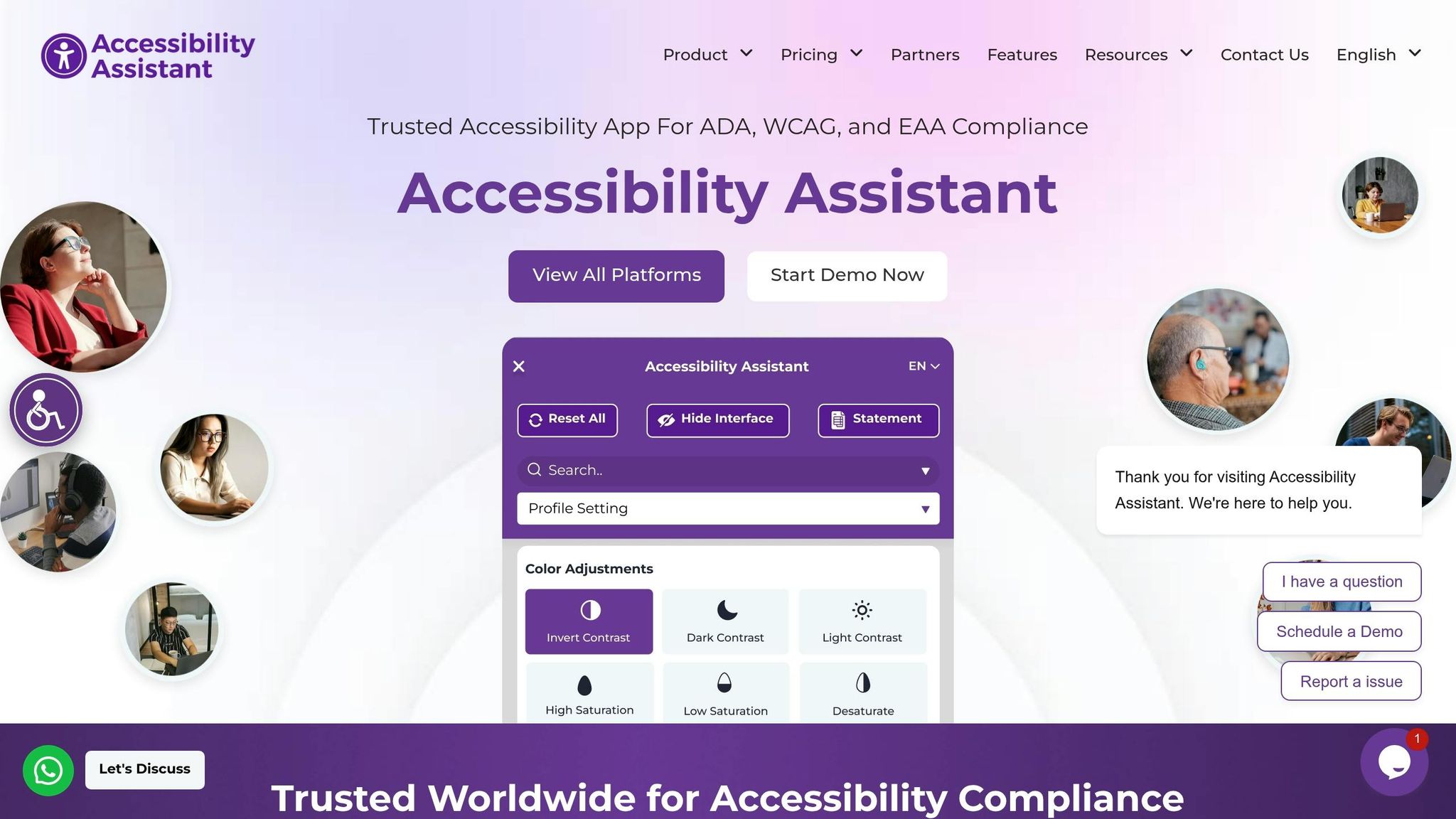
Accessibility Assistant combines a user-friendly widget with backend monitoring to support real-time compliance. It keeps track of website updates to address accessibility issues early, offering over 35 widget features and automated audits that tackle up to 85% of accessibility concerns. Let’s explore its monitoring capabilities, integration process, pricing, and compliance support.
Real-Time Monitoring Capabilities
Accessibility Assistant keeps you updated by sending instant notifications if new accessibility violations occur or previously resolved issues resurface. Users can set alerts for urgent issues and receive weekly summaries. Automated, scheduled scans ensure consistent monitoring across large-scale websites with millions of pages.
"AI enables continuous, real-time detection of accessibility issues, while traditional audits are manual, time-bound, and quickly outdated." – Accesstive
The platform operates in two parts: the Access Assistant widget provides immediate UI adjustments, such as contrast and font size changes, while the Access AI Monitor ensures ongoing compliance with WCAG 2.1 and 2.2 standards through backend tracking.
Integration Options
Adding Accessibility Assistant to your website is straightforward. A single JavaScript line is all it takes, making it compatible with any CMS or web framework. It also integrates with Google Lighthouse, offering a seamless way to evaluate accessibility and performance in one place. This "plug and play" setup simplifies continuous monitoring without requiring extensive configuration.
Pricing Models
Accessibility Assistant offers a free AI-powered scan and trial, allowing teams to explore its capabilities before committing. Pricing starts at just $10 per month for basic compliance, scaling based on pageviews and specific reporting needs. For larger enterprises, custom pricing plans include dedicated support and advanced features.
WCAG Standards Supported
The platform ensures compliance with WCAG 2.1 and 2.2 across Levels A, AA, and AAA. It also supports other accessibility regulations, including ADA, Section 508, the European Accessibility Act (EAA), EN 301 549, and BITV. Verified citations and expert guidance help developers address accessibility issues early in the development cycle.
4. Google Lighthouse
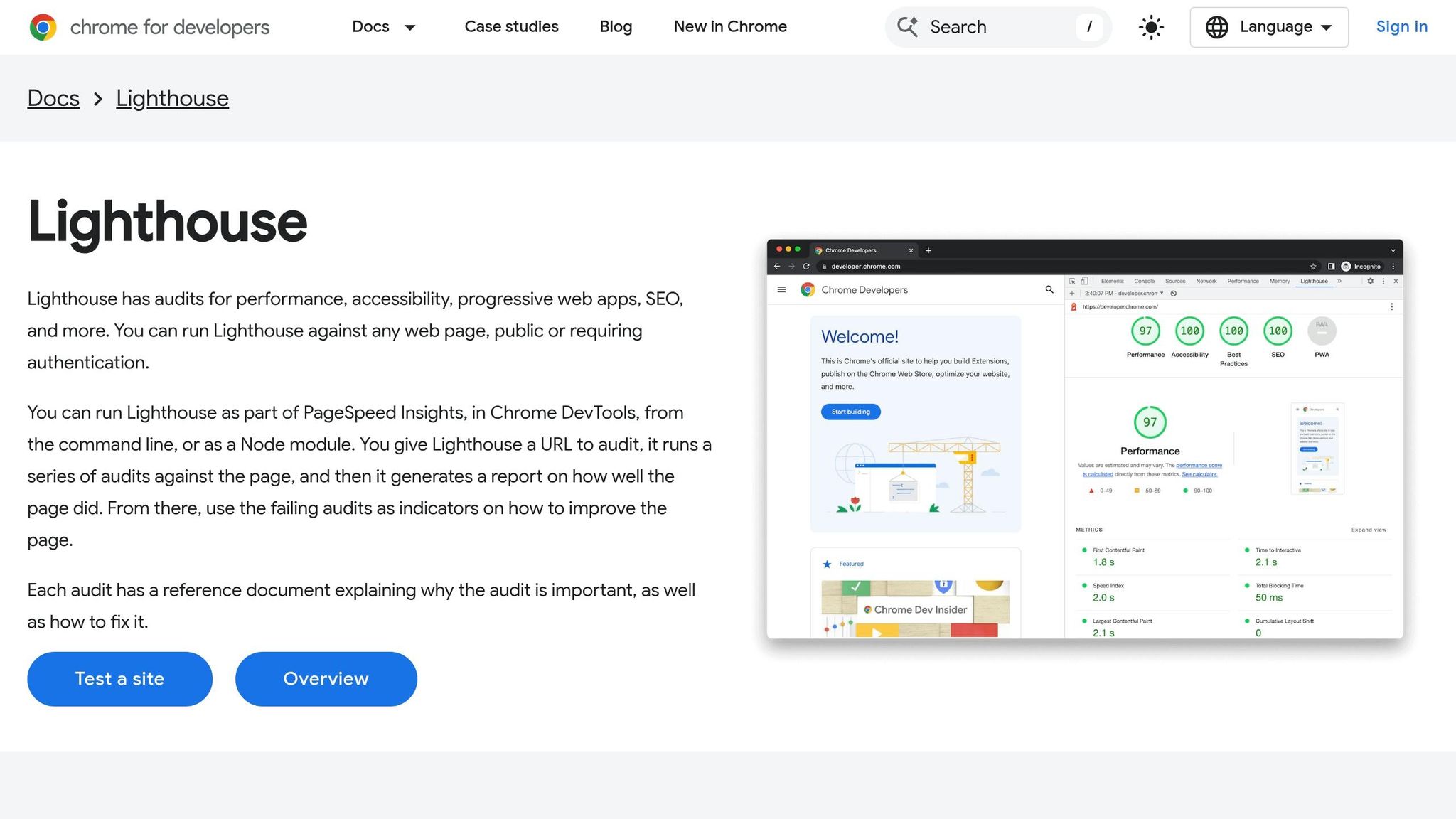
Google Lighthouse is a free, open-source tool integrated into Chrome DevTools, designed to evaluate web accessibility. Powered by the axe-core engine, it scans web pages for WCAG violations and assigns a score from 0 to 100, with scores of 90 or above considered "Good". However, it's worth noting that automated tools like Lighthouse typically catch only 30% to 40% of accessibility issues.
Real-Time Monitoring Capabilities
Lighthouse provides three audit modes to suit different testing scenarios:
- Navigation: Audits accessibility during page load.
- Timespan: Monitors accessibility during user interactions.
- Snapshot: Reviews the current page state without requiring a reload.
Additionally, the Rendering tab in Chrome DevTools allows developers to simulate vision deficiencies, high contrast settings, and reduced motion in real time.
"Passing all the automated audits and scoring a 100 in accessibility does not guarantee that the audited page is accessible; manual testing is still important." – Lighthouse Team
The release of Lighthouse 11 introduced 13 new accessibility audits, covering elements like aria-allowed-role, skip-link, and table-fake-caption. Accessibility scores are calculated as a weighted average, with critical audits like "ARIA attributes are valid" carrying a weight of 10, while less critical checks, such as "No form fields have multiple labels", are weighted at 3.
Integration Options
Lighthouse fits seamlessly into various development workflows, offering several integration methods:
- Chrome DevTools: Built-in for quick, browser-based audits.
- Command Line Interface (CLI): Enables automated testing.
- Node.js Module: Allows for custom integrations.
- Lighthouse CI: Designed for CI/CD pipelines, it runs audits on every commit and can prevent regressions by failing builds if scores fall below set thresholds.
- Browser Extensions: Available for Chrome and Firefox.
- PageSpeed Insights: A web-based interface requiring no installation.
This flexibility ensures Lighthouse can easily adapt to modern CI/CD workflows.
Pricing Models
Lighthouse is completely free to use, with no restrictions on usage or licensing fees. Its source code is publicly available on GitHub under the Apache 2.0 License.
WCAG Standards Supported
Lighthouse evaluates web pages against all four WCAG principles:
- Perceivable: Checks for issues like missing alt text and insufficient color contrast.
- Operable: Ensures features like keyboard navigation and skip links are functional.
- Understandable: Verifies elements like proper page language and clear form labels.
- Robust: Examines valid ARIA usage and avoids duplicate IDs.
It also provides a manual audit checklist that expands when all automated tests are cleared.
5. BrowserStack Accessibility Testing
BrowserStack Accessibility Testing combines automated scanning with real device testing to identify WCAG violations during development. Powered by the Spectra™ Rule Engine, it provides real-time alerts and instant feedback. By using actual Windows, Mac, and Android devices, the platform ensures accurate accessibility checks with popular screen readers like VoiceOver, NVDA, TalkBack, and JAWS.
Real-Time Monitoring Capabilities
The platform’s Accessibility DevTools integrate directly into widely-used IDEs such as VS Code, IntelliJ, and WebStorm. This allows developers to catch issues like missing alt text or poor color contrast before committing code. The Workflow Analyzer monitors user interactions, such as sign-ups or checkouts, in real time, flagging accessibility issues across dynamic states and pages. Additionally, the Website Scanner can be scheduled to run regular scans, helping to prevent regressions.
"Before BrowserStack, it took eight test engineers a whole day to test. Now it takes an hour. We can release daily if we wanted to." – Martin Schneider, Delivery Manager
For more complex WCAG challenges, BrowserStack offers Assisted Tests, which guide users through the process of identifying issues. AI-powered remediation tools provide tailored suggestions to resolve these problems, making the process more efficient.
Integration Options
BrowserStack fits seamlessly into existing workflows. The Accessibility DevTools work within popular IDEs, including VS Code, IntelliJ, and WebStorm. For CI/CD pipelines, teams can easily incorporate accessibility checks into their test suites using the BrowserStack SDK, which requires just one line of code. A browser extension provides direct access to tools like the Workflow Analyzer and Assisted Tests, while the web-based Website Scanner offers a no-code option for accessibility checks.
Pricing Models
BrowserStack offers a free plan that includes unlimited on-demand website scans and workflow scans for up to 5 unique pages. For more advanced needs, the Test & Monitor Plan starts at $199 per month, while the Automate & Monitor Plan begins at $459 per month. Enterprise pricing is available upon request through their sales team.
WCAG Standards Supported
The platform supports WCAG 2.0, 2.1, and 2.2 guidelines at both AA and AAA conformance levels. Currently, the DevTools Linter addresses 15 WCAG 2.2 AA Success Criteria, with plans to expand coverage. BrowserStack employs a mix of automatic scanning for static issues, semi-automatic Assisted Tests for complex problems, and manual testing using real screen readers to ensure accurate and reliable accessibility checks.
6. Siteimprove
Siteimprove offers automated scanning and instant feedback to help organizations stay WCAG-compliant across their digital platforms. By continuously monitoring web pages, PDFs, and media files, it identifies accessibility issues as they arise, eliminating the need to rely solely on periodic audits. Ilyssa Russ, Accessibility Product Marketing Lead at Siteimprove, emphasizes:
"The gap between 'we did an audit in 2023' and 'we're currently accessible' is where the risk lives. You can't audit your way out of this, not when you're shipping new content... every week".
Real-Time Monitoring Capabilities
Siteimprove's shift-left remediation ensures accessibility issues, like missing alt text or incorrect heading structures, can be resolved during content creation - before publication. Its Compliance Tab, updated in November 2025, provides real-time accessibility data that aligns with regulations such as the European Accessibility Act (EAA) and ADA Title II. An Activity Stream lets teams visualize user interactions in real time, highlighting the immediate benefits of their accessibility efforts.
For example, Northern Arizona Healthcare achieved a 100% accessibility score during a CMS migration thanks to continuous scanning and proactive governance. Similarly, Cuisinart reduced their issue-resolution time by over 50% after integrating Siteimprove.
"Siteimprove has provided us clarity and transparency into so many areas we had never dreamed of. The ability to get immediate insights has helped us improve our workflows and decrease time spent on fixing issues by more than 50%".
- Mary Rodgers, Senior Director of Marketing Communications at Cuisinart
These real-time insights fit seamlessly into existing CMS and development workflows, making accessibility improvements more manageable.
Integration Options
Siteimprove offers free browser extensions for Chrome, Firefox, Edge, and Opera, enabling quick accessibility checks even on dynamic or password-protected pages. The platform integrates with popular CMS platforms like WordPress, Drupal, Adobe, Sitecore, and Optimizely, allowing content creators to identify and fix issues directly within their workflows.
For development teams, Siteimprove connects with tools like Jira, Microsoft Azure DevOps, and CI/CD pipelines. Marketing teams can benefit from integrations with HubSpot, Marketo, Google Analytics, and Adobe Analytics. Additionally, a dedicated API enables organizations to create custom workflows tailored to their specific needs.
Pricing Models
Siteimprove provides a free single-page Website Accessibility Checker and free browser extensions. The full Siteimprove.ai platform follows an enterprise pricing model with custom quotes based on website size and requirements. Pricing estimates include:
- $3,600–$6,000 annually for accessibility-only features
- $6,000–$12,000 annually for accessibility plus SEO
- $12,000–$24,000+ annually for the full Digital Certainty Index (DCI) platform, which combines accessibility, SEO, and quality assurance
All plans require a 12-month commitment.
WCAG Standards Supported
Siteimprove supports WCAG 2.0, 2.1, and 2.2 at levels A, AA, and AAA. It also helps organizations comply with ADA, Section 508, and the European Accessibility Act (EAA). The platform encourages a hybrid approach by combining automated scanning for efficiency with manual testing to address more complex accessibility challenges, such as screen reader functionality and keyboard navigation nuances.
sbb-itb-641714f
7. Tenon.io
Tenon.io, now part of Level Access, is a tool designed with developers in mind. It focuses on an API-first approach that suits teams releasing code frequently and needing accessibility testing that scales effortlessly. This makes it especially useful for SaaS companies and development-focused organizations looking to automate accessibility checks directly within their workflows.
Real-Time Monitoring Capabilities
One of Tenon.io's standout features is its ability to deliver instant feedback at the code level, helping teams identify and fix issues before they hit production. With its support for headless crawls and batch validation scripts, the tool ensures site-wide compliance is continuously monitored. By integrating seamlessly into CI/CD pipelines, Tenon.io acts as a quality gate, stopping inaccessible code from being deployed. Developers can send either HTML snippets or full URLs to the API and get back detailed accessibility results, making it ideal for testing individual components. This approach aligns well with the proactive monitoring strategies discussed earlier.
Integration Options
Tenon.io works smoothly with tools like Jira, Jenkins, and GitHub, making it easy to embed accessibility testing into existing workflows. When integrated into CI/CD pipelines, it can halt deployments if tests fail. Its API-driven framework supports testing in various environments, from local development setups to staging and production servers.
Pricing Models
The platform offers a subscription starting at $39 per month. For larger enterprises or teams with specific needs, custom pricing is available through Level Access. These quotes are tailored based on factors like testing volume and integration requirements. Interested organizations can contact the sales team for a personalized plan.
WCAG Standards Supported
Tenon.io is equipped to detect violations of WCAG 2.1, WCAG 2.2, Section 508, and ADA standards. Each report includes detailed guidance for fixing issues, with links to the relevant WCAG criteria. This ensures that teams not only understand the problem but also know how to address it effectively.
8. Accessibility Insights (Microsoft)
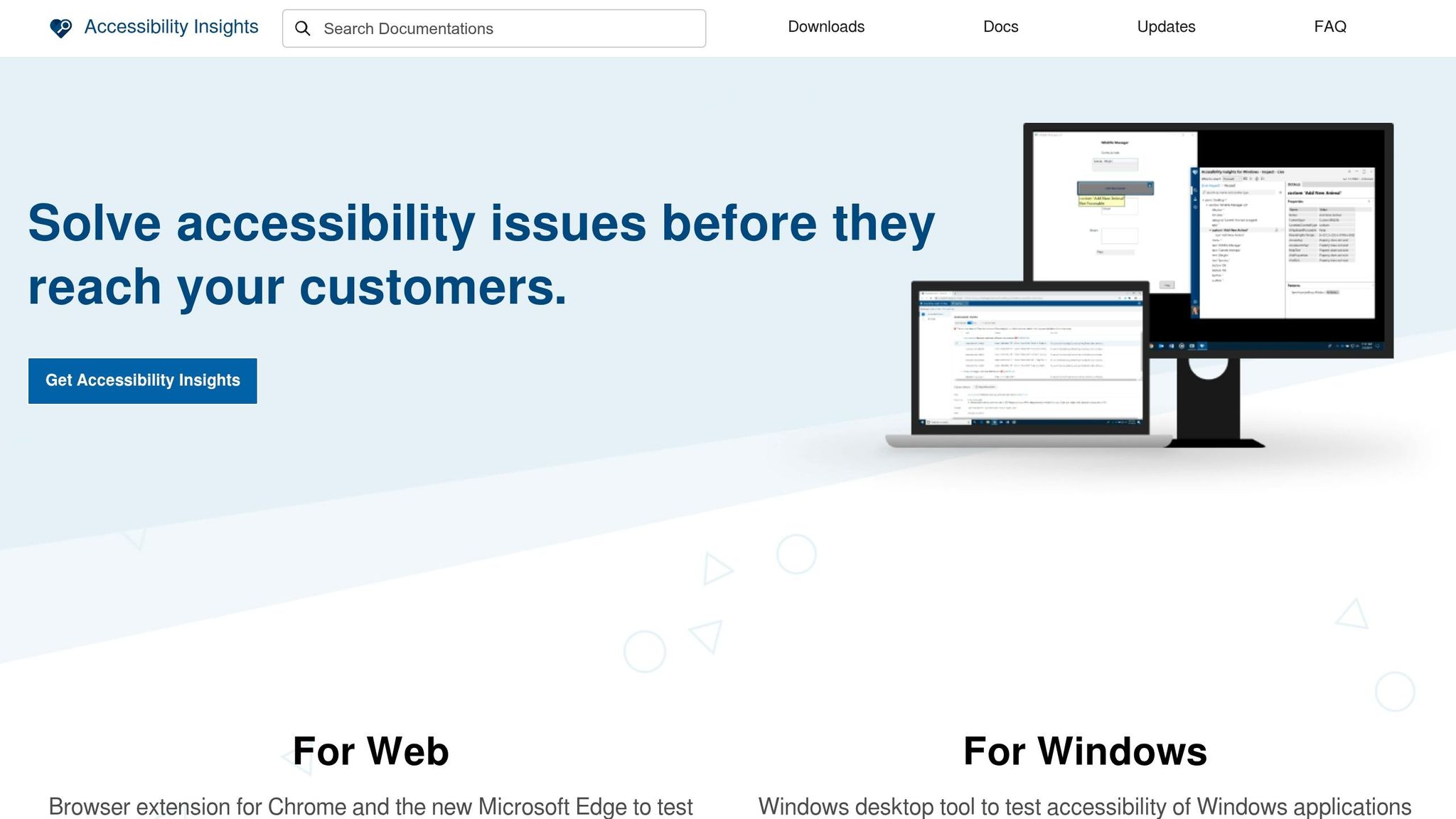
Accessibility Insights is Microsoft's free, open-source tool for accessibility testing. It's designed to help developers catch and address accessibility issues early in the development process. With over 100,000 users on the Chrome Web Store and a 4.7/5-star rating, it's a well-regarded choice for teams aiming to include accessibility checks in their workflows. The tool is available as a browser extension for Chrome and Microsoft Edge, as well as a standalone Windows desktop application for testing native Windows apps.
Real-Time Monitoring Capabilities
The tool's FastPass feature can identify major accessibility issues in less than five minutes. It combines automated checks for around 50 accessibility requirements with visual aids that highlight problems such as missing tab stops, keyboard traps, or incorrect tab orders directly on the page. For more in-depth testing, the Assessment Mode offers both manual and automated testing to help developers meet WCAG 2.1/2.2 Level AA standards. The Windows version also includes a Live Inspect feature. These features make it easy to integrate accessibility testing into the development process without disrupting workflows.
Integration Options
Accessibility Insights integrates seamlessly into development workflows via browser extensions for Chrome and Edge. While it doesn't include a traditional API or direct CI/CD pipeline integration, its open-source nature allows teams to leverage the underlying axe-core engine through GitHub. The Visual Helper feature further simplifies the process by highlighting errors directly on-screen and offering guidance during active development.
Pricing Models
This tool is completely free and open-source, with no paid tiers or subscription fees. Microsoft offers it as a community resource, and the source code is publicly available on GitHub for anyone who wants to contribute or customize it to meet specific requirements.
WCAG Standards Supported
Accessibility Insights supports WCAG 2.0, 2.1, and 2.2 Level AA standards. Although its automated checks cover only part of these standards, the tool emphasizes combining automated scans with manual testing for a more thorough evaluation. Each identified issue includes detailed guidance on how to fix it, complete with examples, helping developers not only detect problems but also learn how to address them effectively.
9. ARIA by Equally AI
Information about ARIA by Equally AI is sparse. While it’s described as an AI-driven accessibility solution, the specifics around its features - such as real-time monitoring, integration methods, and adherence to WCAG standards - remain unclear.
Real-Time Monitoring Capabilities
There’s no available documentation detailing ARIA’s real-time monitoring features or how it tracks accessibility issues.
Integration Options
Details about how ARIA integrates with existing systems are not provided. It’s unclear whether it uses browser extensions, APIs, CI/CD pipelines, or other methods.
WCAG Standards Supported
Although many similar tools are designed to align with guidelines like WCAG 2.2, ADA, and Section 508, ARIA’s exact compliance with these standards hasn’t been disclosed. This lack of transparency highlights the importance of reaching out directly to Equally AI for more information.
10. CLUNKY.ai
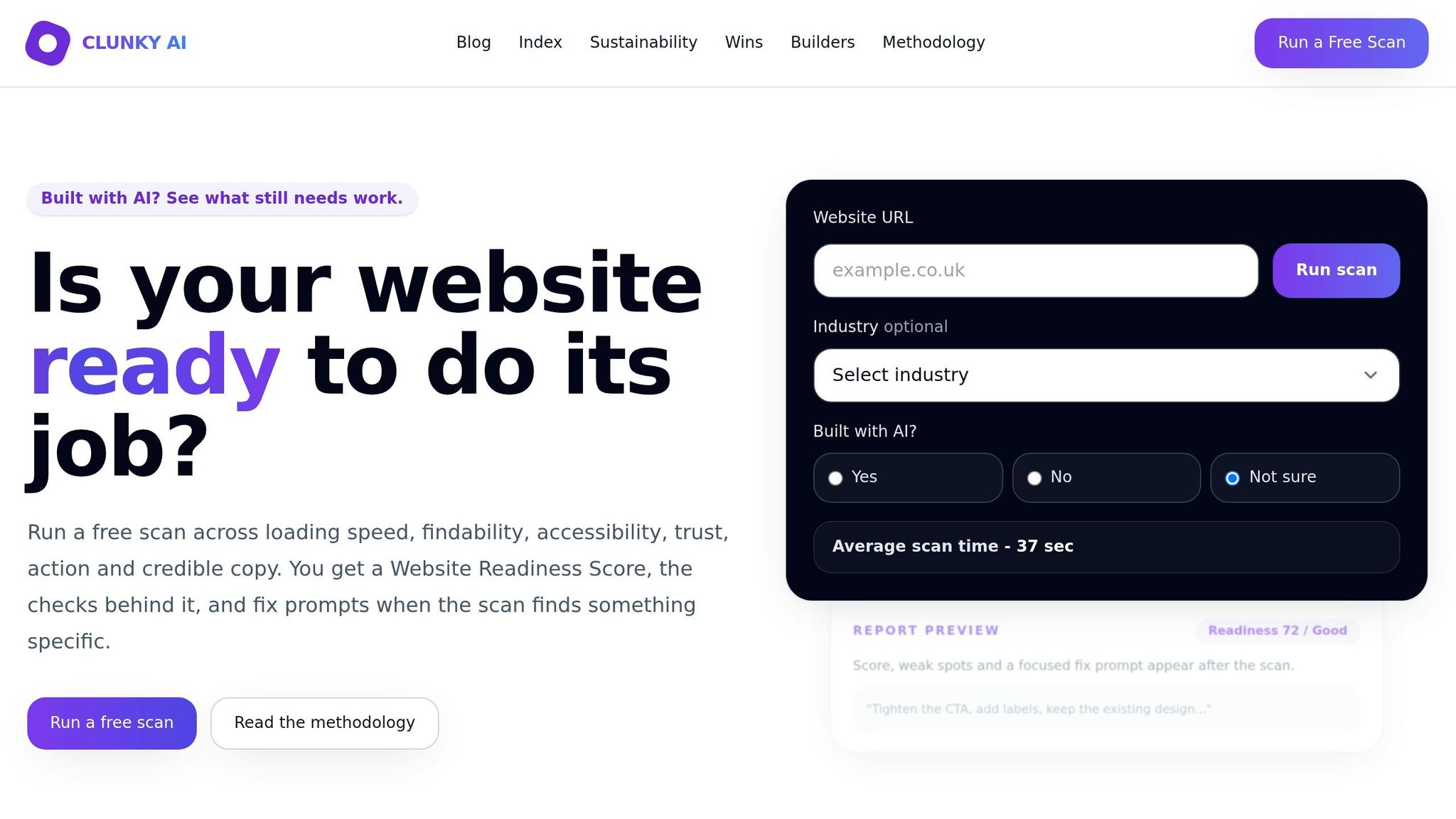
CLUNKY.ai specializes in creating AI-driven websites using tools like Framer AI, Wix AI, Webflow AI, V0, and Bolt. It uses the axe-core engine, a widely recognized standard, to scan live webpages for accessibility issues. By relying on this engine, CLUNKY.ai ensures compliance with WCAG 2.1 and 2.2 AA guidelines. So far, the platform has conducted 94 scans, contributing to the "Clunky Index", a benchmark that identifies common accessibility and trust challenges in AI-built websites.
Real-Time Monitoring Capabilities
CLUNKY.ai functions as an on-demand scanning tool, offering instant feedback through its Website Readiness Score. This score assesses key areas like performance, SEO, accessibility, trust, conversion rates, and content credibility. After making changes to a website, users can re-scan to compare updated scores with the baseline, helping teams measure progress over time.
Integration Options
The platform provides tailored fix prompts that can be copied directly into chat-based website builders, enabling automated fixes. By embedding these prompts into the development process, CLUNKY.ai supports real-time optimizations. It can scan any website URL, maintain historical reports for reference, and uses hashed IPs and scan signals to protect user privacy.
Pricing Models
One of the standout features of CLUNKY.ai is that all scans are completely free. Users can generate a baseline Website Readiness Score, identify specific accessibility issues (referred to as "clunks"), and access actionable fixes without spending a dime.
WCAG Standards Supported
CLUNKY.ai identifies accessibility problems by detecting axe-core violations on live webpages. Since axe-core adheres to WCAG 2.1 and 2.2 AA guidelines, the platform ensures compliance with these standards. It focuses on addressing the most critical issues first, offering practical insights tailored to the fast-paced needs of AI-powered website development teams. This targeted approach makes it a valuable tool for improving accessibility in modern web environments.
Comparison Table
Choosing the right accessibility tool involves assessing factors like real-time monitoring, pricing, integration options, and WCAG compliance. Below is a detailed table to help you evaluate each tool based on these criteria, making it easier to find the right fit for your needs.
Free tools like WAVE and Lighthouse work well for initial audits but fall short when it comes to continuous monitoring and large-scale scanning, which are often essential for enterprise-level compliance. Use this table as a quick reference for comparing key features across various tools.
| Tool | Real-Time Monitoring | Pricing | Integration Options | WCAG Standards |
|---|---|---|---|---|
| axe DevTools | Real-time linting in VS Code, CI/CD integration, and Intelligent Guided Tests | Free browser extension; Pro starts at $8/month | VS Code, GitHub, GitLab, Playwright, Puppeteer, React | WCAG 2.0/2.1/2.2 (57+ automated checks) |
| WAVE | Visual in-context feedback via browser extensions; API for site-wide monitoring | Free browser extension; API pricing varies | Browser extensions; Pope Tech integration | WCAG 2.0/2.1/2.2 |
| Accessibility Assistant | Real-time AI-powered scanning | Pricing varies | Shopify, WordPress | WCAG 2.1/2.2 AA |
| Google Lighthouse | Integrated in Chrome DevTools, with CLI and Node.js support | Free | Chrome DevTools, CI/CD via CLI | WCAG 2.0/2.1 |
| BrowserStack | Cross-browser accessibility testing | Paid plans only | Selenium, testing frameworks | WCAG 2.1 AA |
| Siteimprove | Continuous monitoring across sites | Enterprise pricing | CMS platforms, Selenium, Playwright, Cypress | WCAG 2.0/2.1/2.2 |
| Tenon.io | API-first model for CI/CD integration | Subscription-based | CI/CD pipelines, headless crawl scripts | WCAG 2.0/2.1 AA |
| Accessibility Insights | FastPass for quick scans; manual testing guidance | Free | Browser extensions, CI/CD | WCAG 2.1 AA |
| ARIA by Equally AI | AI-driven remediation widget | Subscription-based | CMS platforms | WCAG 2.1 AA |
| CLUNKY.ai | On-demand scanning with Website Readiness Score | Free | Chat-based website builders (Framer AI, Wix AI, Webflow AI) | WCAG 2.1/2.2 AA |
Conclusion
Selecting the right accessibility tool hinges on factors like your organization's size, technical expertise, budget, and compliance priorities. These considerations directly impact how you allocate resources and make budgetary decisions. For smaller teams with limited development resources, tools that offer guided remediation and AI-driven fixes are a smart choice. Larger enterprises, on the other hand, often benefit from features like centralized dashboards, multi-site management, and audit logging to support legal compliance.
How well a tool integrates into your existing workflow can be just as important as its features. Engineering-focused teams may prefer solutions that work seamlessly with IDEs and CI/CD pipelines, allowing them to catch issues early in the development process. Meanwhile, design-centric organizations should look for tools that evaluate prototypes during the planning stages, ensuring accessibility is built into the design from the start.
Pricing varies widely across solutions. Enterprise-grade tools can cost thousands of dollars annually, while smaller teams can find effective options for under $100 per month. Regardless of the cost, investing in accessibility tools does more than ensure compliance - it opens up new market opportunities.
"No diagnostic-only tool provides compliance. It provides a to-do list. Your team's capacity to action that list is what determines your actual compliance level and your legal exposure." - Maryam Zulfiqar, Accessify
For dynamic websites, continuous monitoring is non-negotiable. Real-time tracking can identify regressions as soon as they happen, preventing accessibility issues from piling up and preserving both user experience and legal defensibility. With around 15% of the global population living with some form of disability and $490 billion in annual disposable income controlled by this group in the U.S. alone, accessibility isn’t just a legal requirement - it’s a business opportunity. However, since automated tools typically catch only 30% to 40% of WCAG issues, supplementing them with manual testing, such as using screen readers, is critical for achieving comprehensive accessibility.
FAQs
How do real-time accessibility tools fit into CI/CD?
Real-time accessibility tools play a key role in CI/CD pipelines by offering continuous monitoring and instant feedback on WCAG compliance throughout the development process. These tools automatically identify accessibility issues at various stages, allowing teams to tackle problems early on. By incorporating such tools, organizations can streamline compliance efforts, cut down on manual testing, and consistently uphold accessibility standards with every build or deployment. This not only enhances the user experience but also aligns seamlessly with agile and DevOps methodologies.
What WCAG issues can’t be found by automated scans?
Automated scans are great for catching surface-level issues, but they often fall short when it comes to problems that need human insight. Things like cognitive accessibility challenges, content clarity, contextual errors, or certain semantic and logical inconsistencies usually require a manual review. Human judgment is essential for addressing these areas, ensuring both compliance and a better user experience.
How can CLUNKY.ai help fix accessibility problems faster?
CLUNKY.ai makes resolving accessibility issues faster with its dCLUNK™ website scanning tool. This tool works by identifying and analyzing real-time issues related to UX, performance, accessibility, and compliance. It also provides practical recommendations to tackle these problems effectively, simplifying the process of improving both website accessibility and overall functionality.
Explore the six basics
Every Clunky AI article maps back to one or more of the questions a business site has to answer.
Related Posts
Tags AccessibilityPerformanceUser Experience
Category Website Compliance